
BOBOK tells you about every important moment of your child's journey, so you don't have to keep checking the app.
Alerts you receive
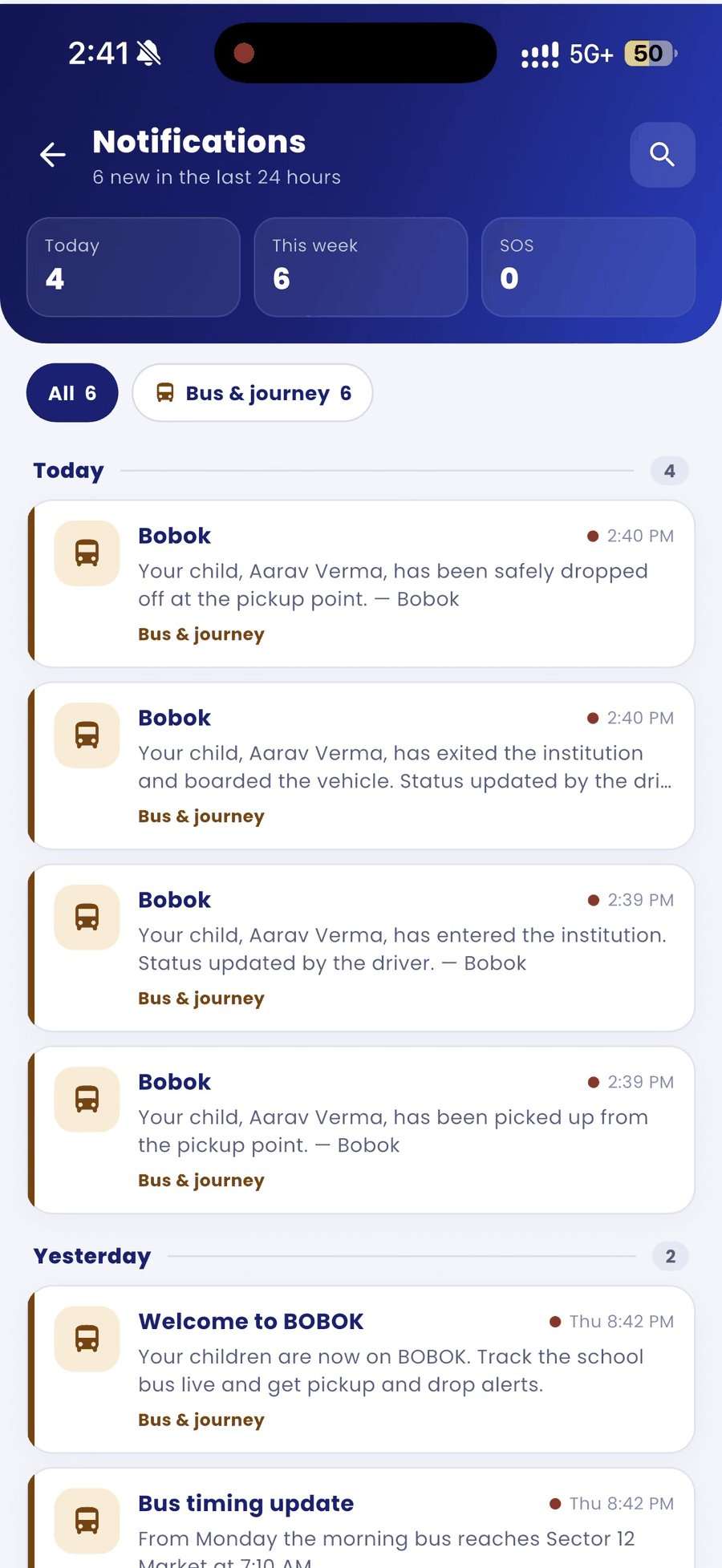
- Picked up / boarded: your child got on the bus.
- Entered or exited the institution: your child was checked in or out at the school gate.
- Almost home: the bus is close to your stop on the way back.
- Bus is at your stop: the driver has reached your stop and pressed the horn. Tap Coming to tell the driver you are on your way.
- Dropped: your child was safely dropped at the pickup point.
- Speed alerts: if the bus goes over the speed limit, you see it on the live map.
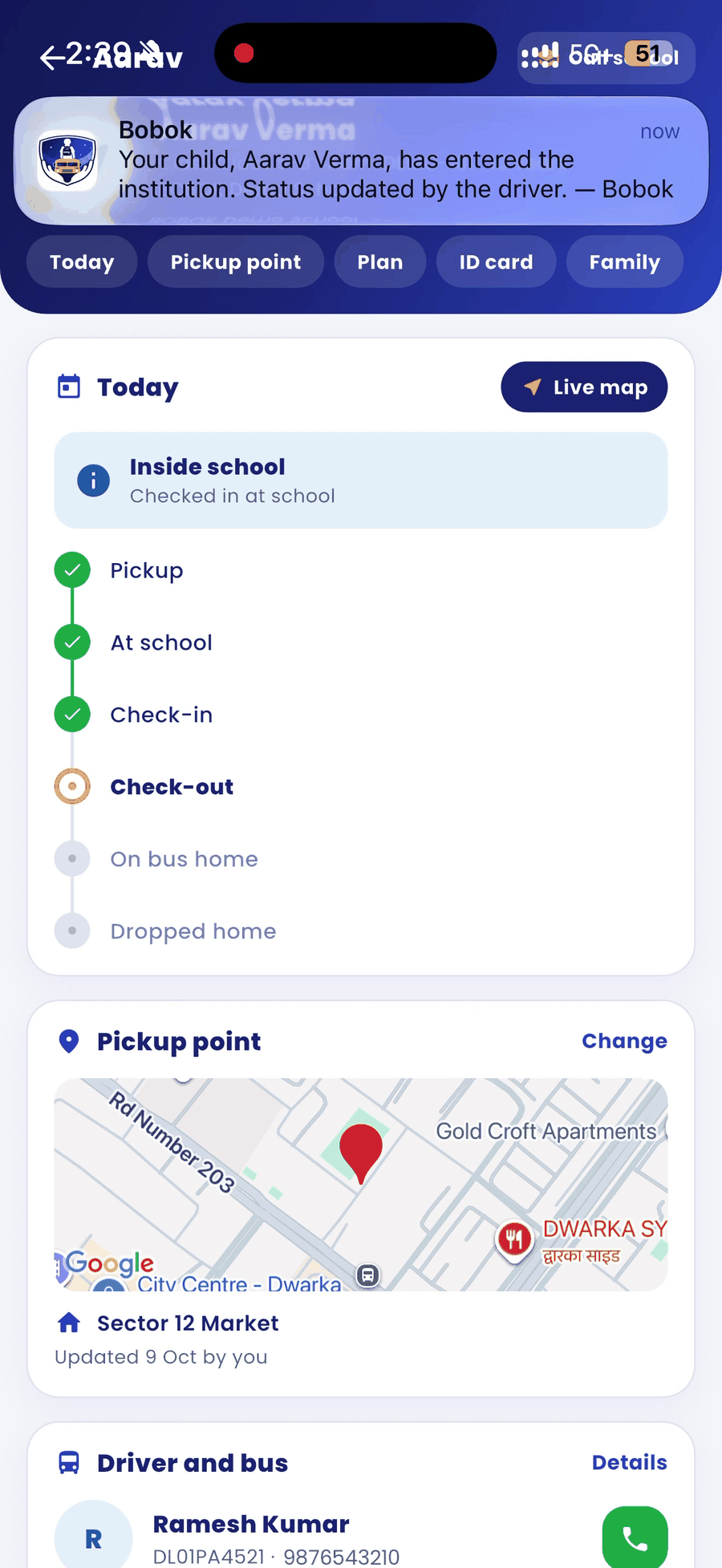
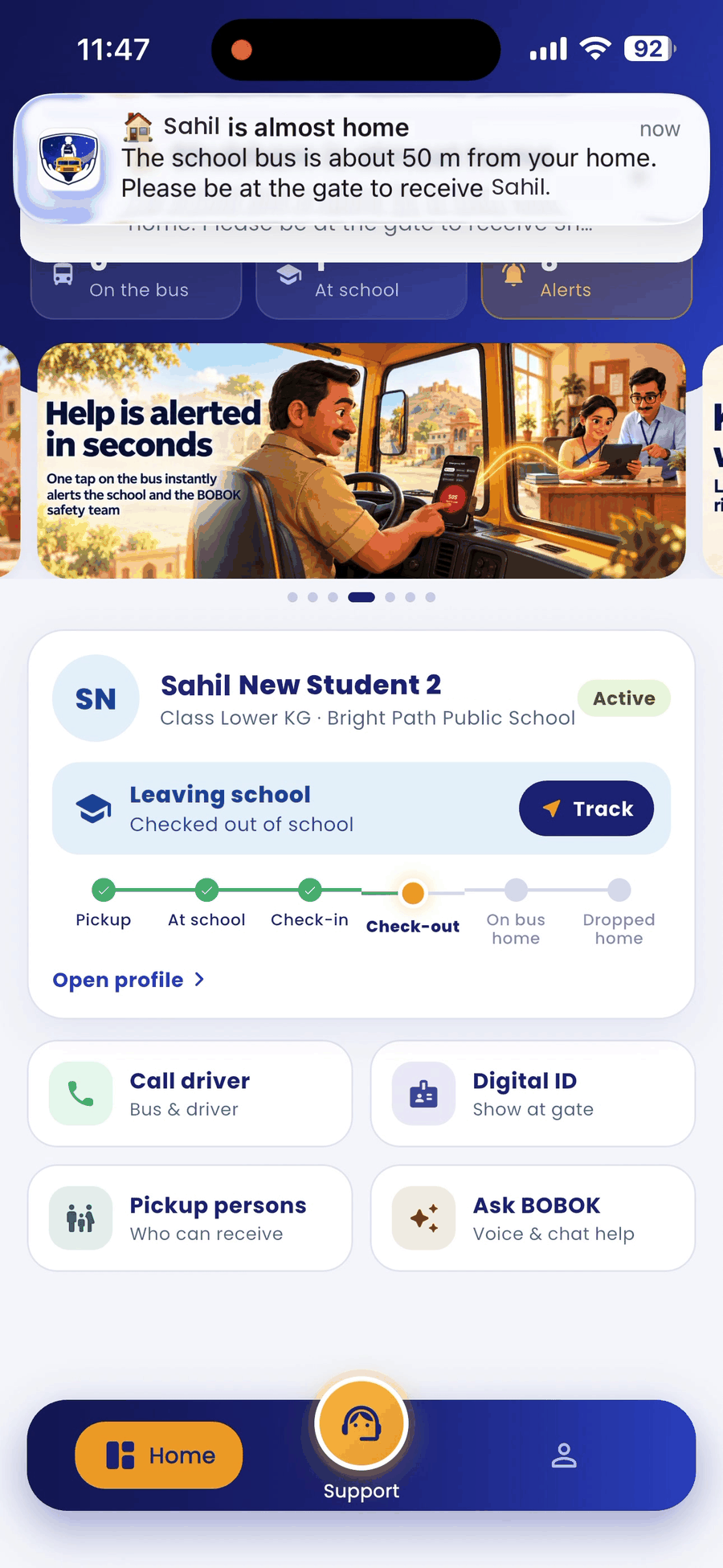
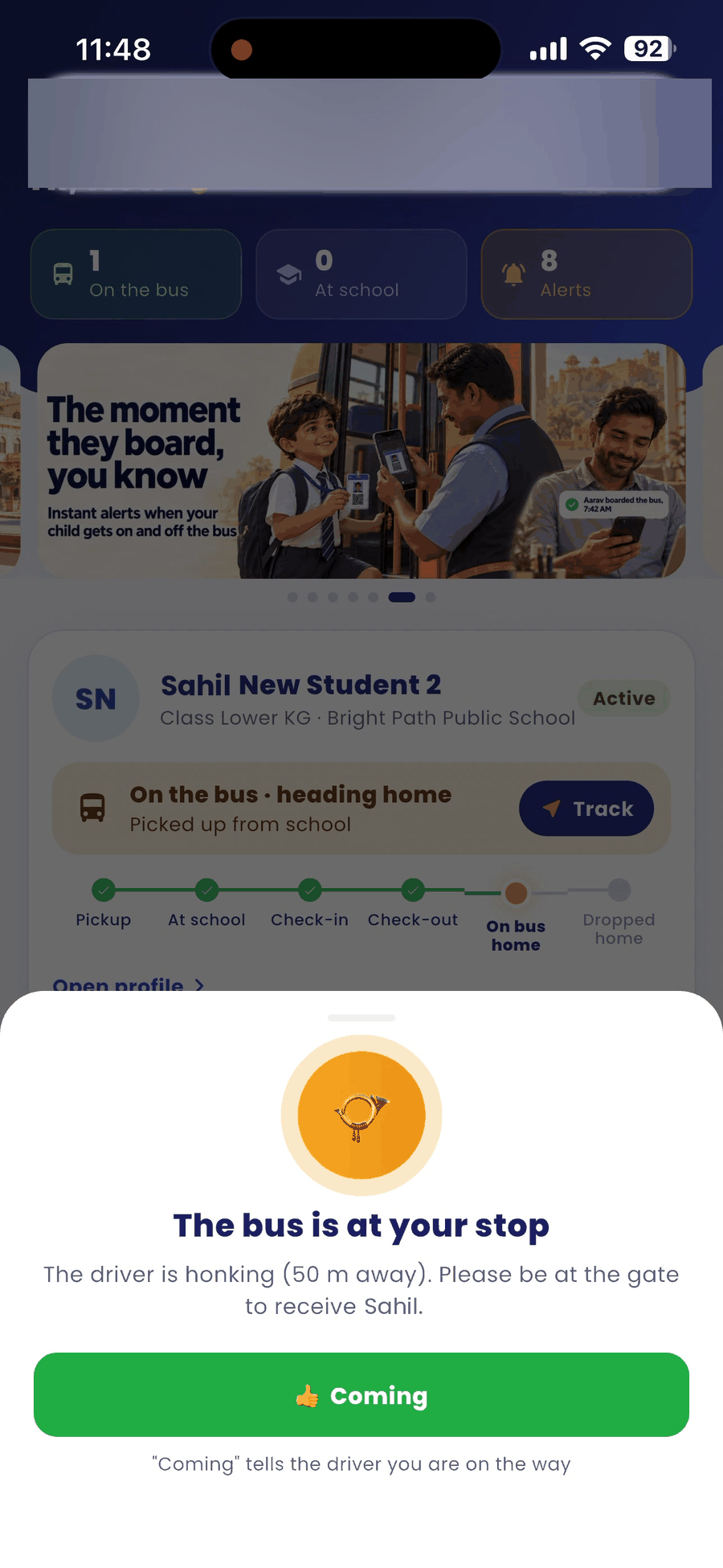
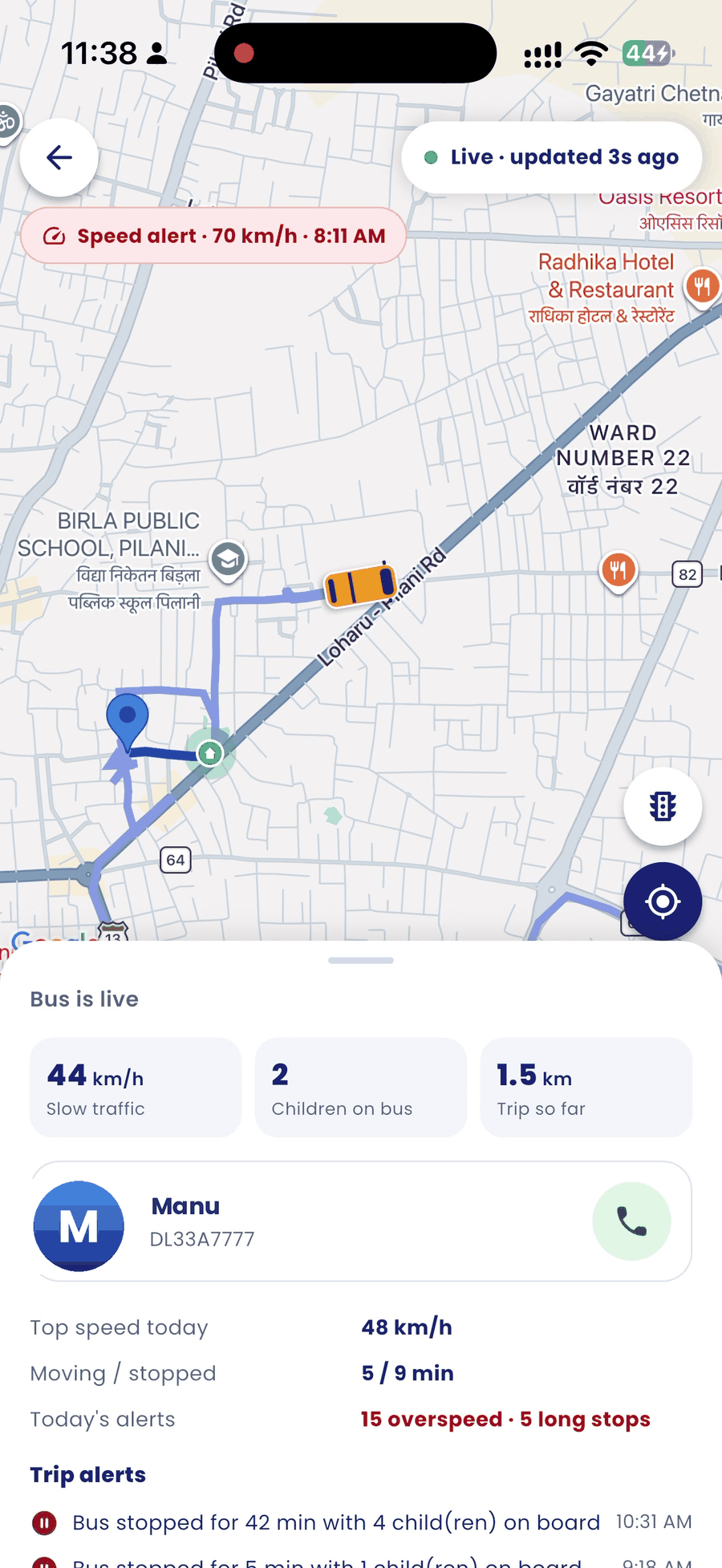
See all notifications
- On the home screen, tap the bell icon at the top right.
- The counters show alerts for Today, This week and SOS.
- Use the filters All, SOS, Bus & journey and Plan to narrow the list.
Good to know
- Alerts arrive as app notifications. If your school has switched them on, key alerts also come by SMS and WhatsApp.
- Allow notifications for BOBOK in your phone settings so you don't miss alerts.