
At the home drop, the driver hands your child only to a person you have approved. If the person waiting is not on your pickup list, you approve them in the app with a one-time OTP.
How it works
- The driver selects Other and enters the person's details and photo.
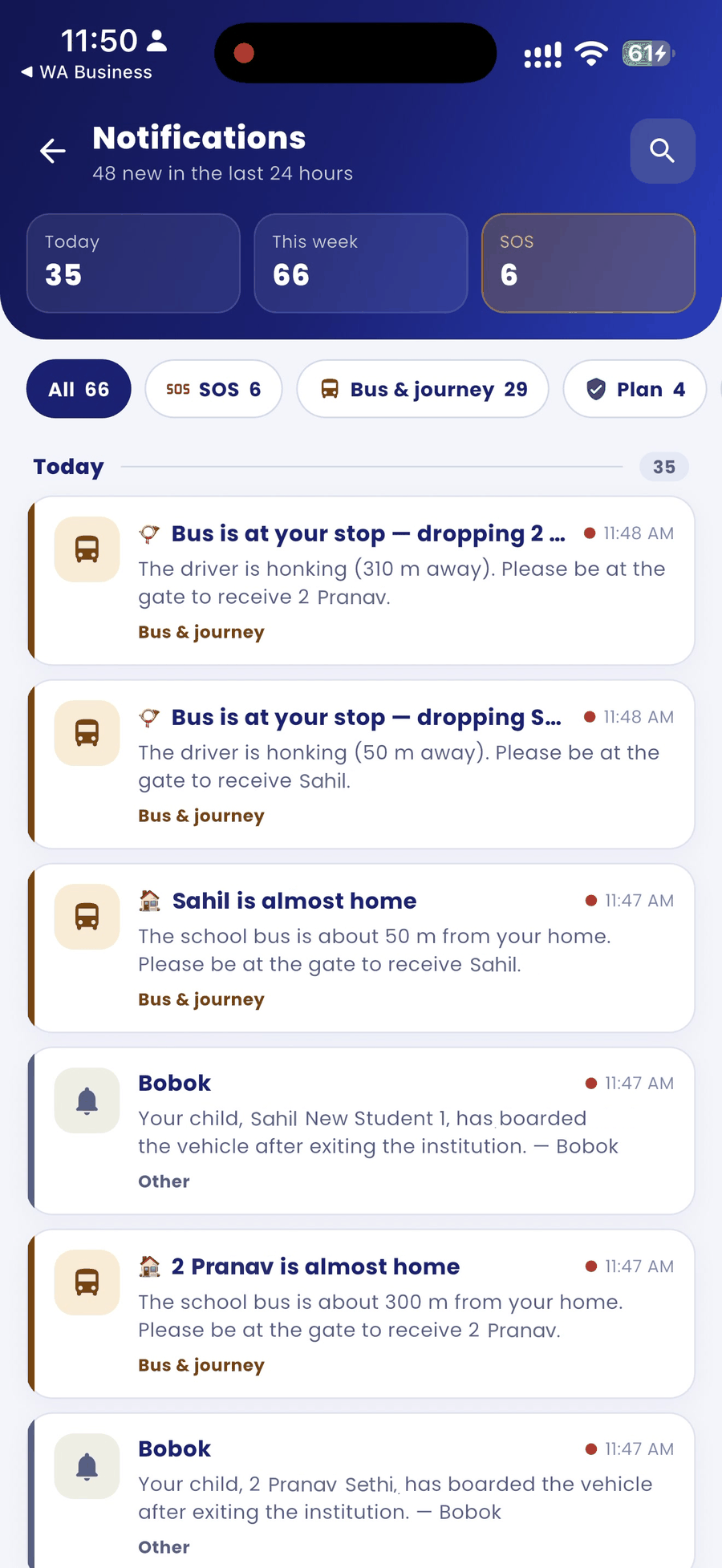
- You get a notification. Open the BOBOK app to see who is waiting.
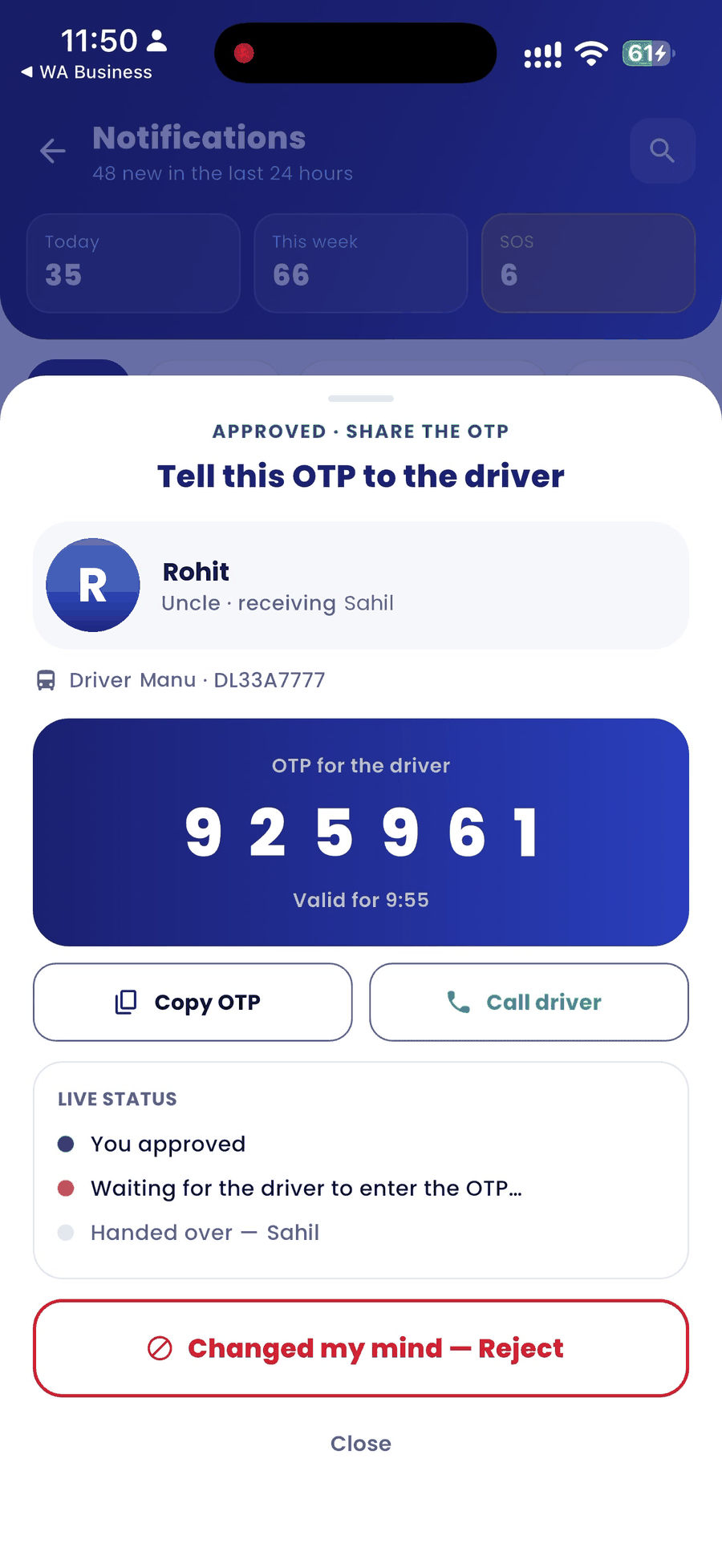
- If you know the person, approve them. The app shows Tell this OTP to the driver with a 6-digit OTP.
- Tell the OTP to the driver, or tap Copy OTP and share it. You can also tap Call driver.
- Live status shows each step: you approved, waiting for the driver to enter the OTP, and handed over.
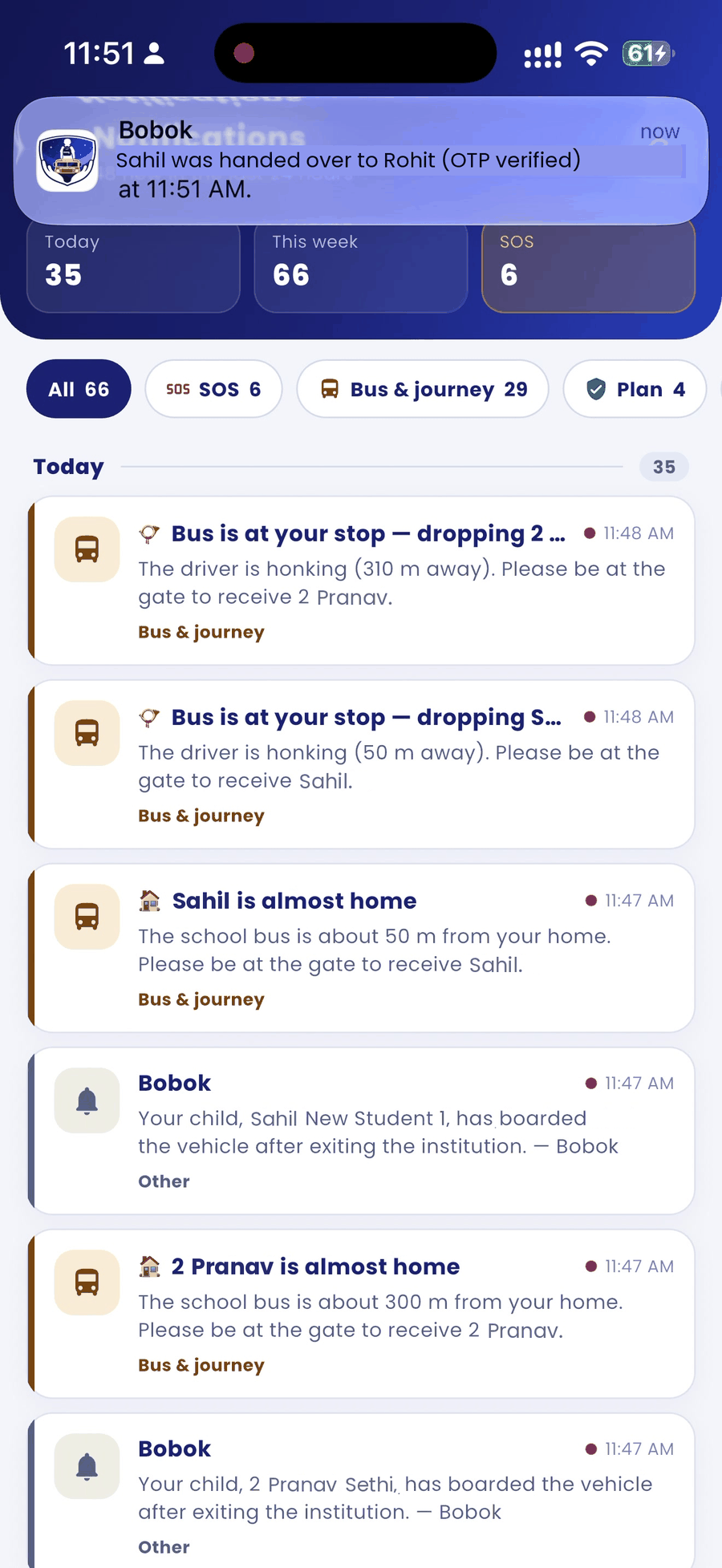
- When the driver enters the correct OTP, you get a confirmation that your child was handed over (OTP verified).
If you don't know the person
Tap Changed my mind — Reject. The driver cannot hand your child over to them. Your school's procedure for unreleased children then applies.
Good to know
- The OTP appears only inside the BOBOK app. It is never sent by SMS and is not shown in the notification.
- The person's details are kept with the trip record. They are not added to your pickup list unless you add them yourself.