RFID vs QR code student attendance: which suits an Indian school?
An RFID attendance system for school gates is fast and hands-free. QR codes need no fixed readers and travel well onto buses. A fair comparison, and a simple way to decide.

On this page
- How an RFID attendance system for school works
- How QR code attendance works
- What each needs: readers, cards, phones, power, internet
- Accuracy and proxy scanning
- On the bus versus at the gate versus in class
- Parent alerts
- Upkeep and what breaks
- Side-by-side comparison
- Which to choose, by type of school
- How BOBOK does it
- What to do next
- Questions people ask
Last reviewed: November 2026
An RFID attendance system for school use is the better choice when you have one or two fixed entry points, steady power and internet, and a budget for readers at each one: children tap or walk past and the record is made. QR code attendance suits schools that need to record children in several places, such as on buses, at the gate and in class, because any staff phone can scan a QR code printed on the ID card.
Key points
- RFID needs a reader at every point you want to record; QR needs a phone with a camera and an app.
- RFID is faster at a busy gate. QR is more flexible across locations.
- Both can be misused by a child holding a friend's card, unless an adult watches the scan.
- Both can trigger an alert to parents; the alert depends on the software, not the card.
- Choose by where you need records, not by which technology sounds newer.
How an RFID attendance system for school works
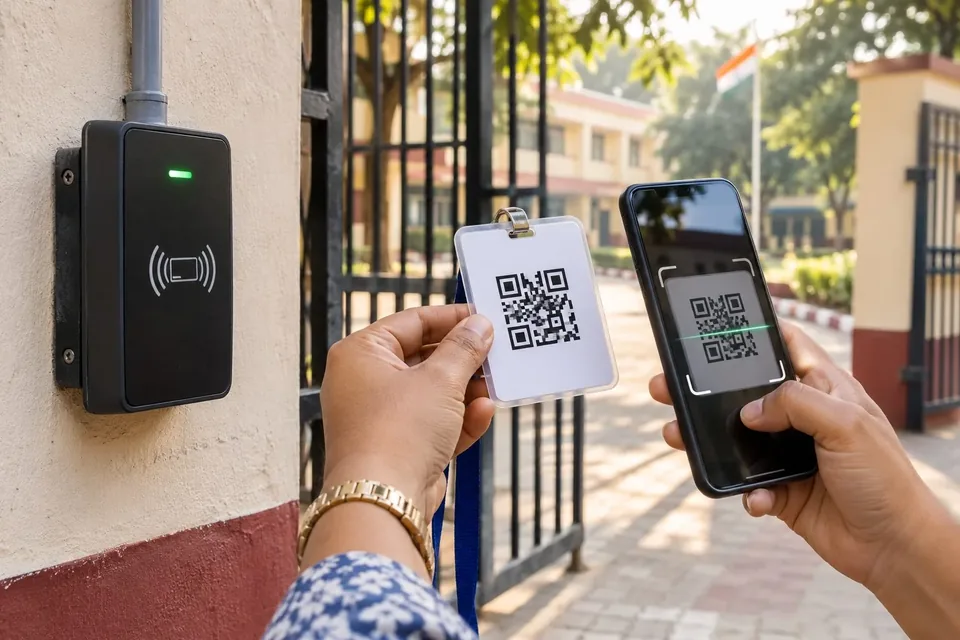
RFID (radio frequency identification) uses a card or tag with a small chip and antenna. When the card comes close to a reader, the reader picks up the card's ID number and sends it, with the time, to the attendance software. Most school systems use cards that must be held near the reader. Some use long-range readers mounted over a gate so children are recorded as they walk through.
The reader is the key piece of hardware. It is fixed to a wall, gate or bus, needs power, and needs a network connection to send records in real time, or local storage to send them later.
How QR code attendance works
A QR code is a printed pattern that holds a short piece of data, such as a student ID. In a school system, it is printed on the child's ID card. A staff member opens an app on a phone or tablet and points the camera at the card. The app reads the code and records who was scanned, where, by whom and when.
A plain QR code can be copied and printed by anyone, so better systems use a signed code: the data includes a cryptographic signature that the app checks, so a home-made copy with a different ID is rejected.
What each needs: readers, cards, phones, power, internet
RFID needs a reader at every point you want to record, the cabling or mounting for it, a power supply, a network link or local storage, and an RFID card for each child. The cost drivers are the number of readers, the cards, and replacing cards that children lose.
QR needs a phone or tablet with a working camera at each point, an app, and a printed ID card for each child. The cost drivers are the devices, if staff do not already carry them, and reprinting cards. A lost card can be reissued with a new code, and the old one blocked.
Both need software that turns raw scans into attendance, reports and alerts. That software is often the bigger decision.
Accuracy and proxy scanning
Neither technology knows who is holding the card. A child can tap a friend's RFID card, or show a friend's QR code. The real defence is an adult watching the scan.
That gives QR a practical edge in one way: because a staff member holds the phone and does the scanning, someone is always looking at the child. With an unattended RFID gate, a pocket full of cards can go through in one pass. RFID systems can be paired with cameras or a guard to close that gap.
On speed, RFID is ahead. A tap takes a moment, and a long-range gate needs no action from the child at all. QR scanning is quick, but at a gate with hundreds of children arriving in ten minutes, the difference adds up. Schools using QR at a busy gate usually run two or three scanning points at peak time.
On the bus versus at the gate versus in class
At the gate, RFID shines. It is one fixed place with power, a predictable flow, and a guard nearby.
On the bus, RFID means a reader fitted in every bus, wired to the bus's power, with a mobile data link. QR means the attendant or driver scans each child with a phone at boarding and drop. QR is usually simpler here, and it also records where the child got on.
In class, a teacher can scan QR cards with a phone, but many teachers prefer to mark attendance in an app from a list, which is faster for thirty children who are sitting in front of them. RFID in every classroom means a reader per room.
Many schools end up wanting records at all three points. That is where the hardware count decides the comparison.
Parent alerts
Parents care about the message, not the card. Either system can send a notification when a child boards the bus, reaches school or leaves. What matters is how the software sends it: app notification, SMS or WhatsApp, in which languages, how fast, and whether the parent can see the history. Ask any vendor to show you the parent's screen, not just the school's.
For alerts to be trustworthy, the record behind them must be trustworthy. A missed tap at the gate becomes a false "absent" message to a worried parent.
Upkeep and what breaks
With RFID, readers fail, cables get damaged, power cuts stop the gate, and cards crack or get lost. A broken reader at the main gate on a Monday morning is a real problem. With QR, phones get dropped, batteries run flat, and printed cards fade or tear, but a spare phone fixes most problems in minutes. Card replacement needs a process too: the Ministry of Education's 2021 safety guidelines expect students to carry ID cards with a parent's name and mobile number on the way to and from school, so a lost card should be blocked and replaced within days, not at the end of term. Plan for either: keep spare cards, a spare reader or phone, and a manual fallback that is clearly marked as manual in the records.
Side-by-side comparison
| RFID | QR code | |
|---|---|---|
| Hardware at each point | Fixed reader | Phone or tablet with app |
| Speed at a busy gate | Faster | Slower; add scanning points |
| Works on buses | Needs a reader per bus | Staff phone, no fitting |
| Proxy risk | Higher if unattended | Lower, because staff scan |
| Forging a card | Harder | Easy for plain codes; signed codes reject forged or altered codes |
| Card replacement | New RFID card | Reprint with new code |
| Main cost drivers | Readers, cards, installation, upkeep | Devices, card printing |
| Main failure point | Reader or power at the gate | Phone battery or camera |
Which to choose, by type of school
- A large school with one main gate and its own security staff, no school transport: RFID at the gate is a strong choice.
- A school that runs buses and wants to know who boarded: QR, scanned by the attendant, avoids fitting a reader in every bus.
- A school that wants one record from bus to gate to class: QR keeps one card and one app across all three points.
- A school with unreliable power or network at the gate: QR on a charged phone, with offline storage if the app supports it, is more forgiving.
Whichever you choose, the data is about children, so the system must follow India's data protection law. Our post on the DPDP Rules and child tracking explains what that means. If you are also comparing tracking options, see GPS tracker or school bus tracking app.
How BOBOK does it
BOBOK uses a signed QR code printed on each child's ID card. The same card is scanned by the driver app when the child boards and leaves the bus, by the gatekeeper app at the school gate, and by the teacher app for class attendance, and parents get a notification at each step. Because the code is signed, a card that has been altered or made up is rejected, and the person scanning sees the child's details to check against the child in front of them. BOBOK is a technology provider; the school runs its transport and attendance.
What to do next
Draw a quick map of every point where you want a record: each bus, each gate, each class. Count them. That number, and who will be standing there, usually makes the choice for you. To see QR attendance working from bus to classroom, book a BOBOK demo.
Questions people ask
Which is better for schools, RFID or QR code?
Can QR code attendance be faked?
Do parents get an SMS when the child reaches school?
Does QR attendance work without internet?
Sources
We build school transport safety software for schools in India. Our guides are researched from official notifications and reviewed before publishing.