
Every child on BOBOK has a digital ID card with a QR code. It works from the day your school assigns the plan, even before the printed card arrives.
Open the digital ID
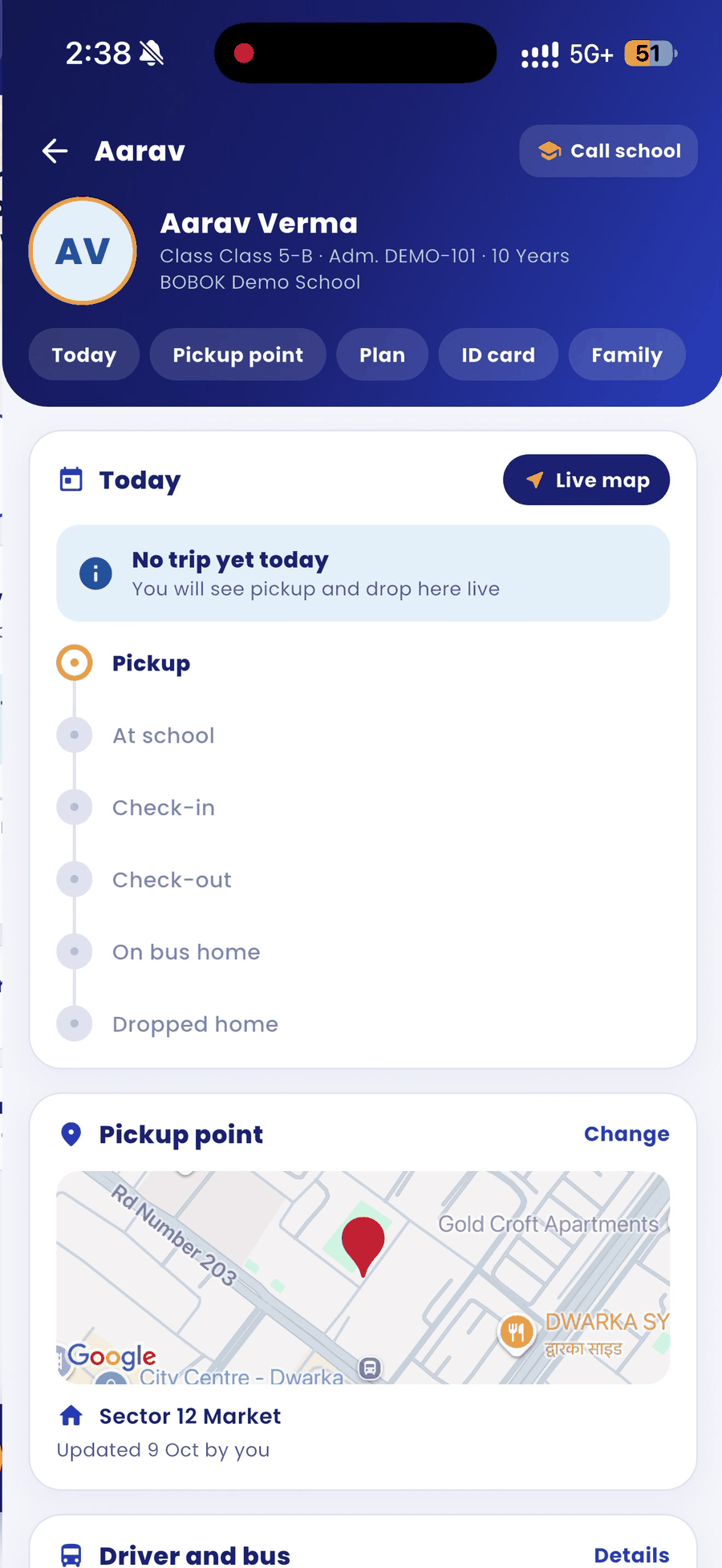
- On the home screen, tap Digital ID. You can also open your child's page and tap the ID card tab.
- The card shows the school, your child's name, class, admission number, blood group, card ID, validity and QR code.
Printed (PVC) card status
Below the digital ID, the Physical card tracker shows: Ordered, Printing, Shipped and Delivered. The free PVC card is printed with your school's next card order. Tap My orders to see card orders.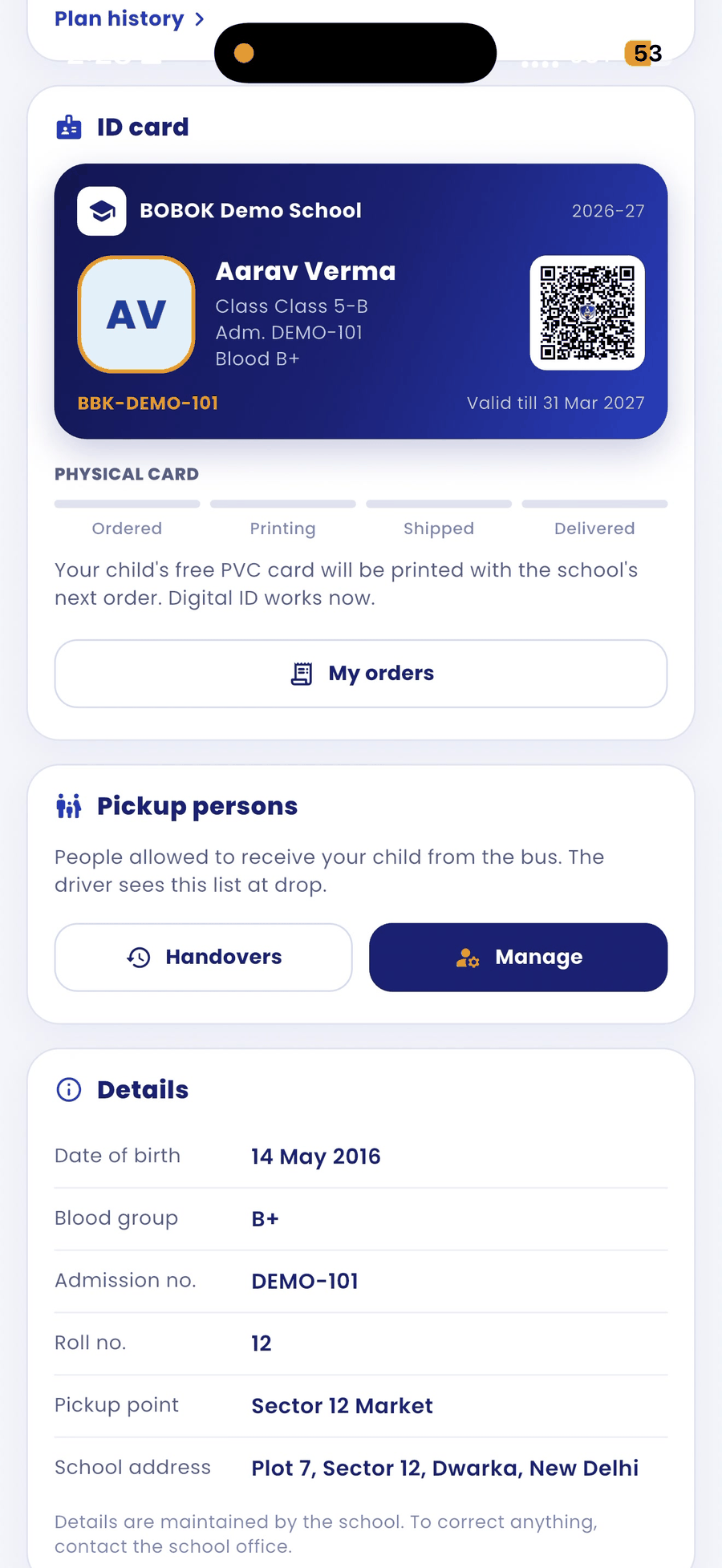
Good to know
- The QR code is what the driver and the school gate scan. Keep the printed card with your child every day.
- If a detail on the card is wrong, ask the school office to correct it.