
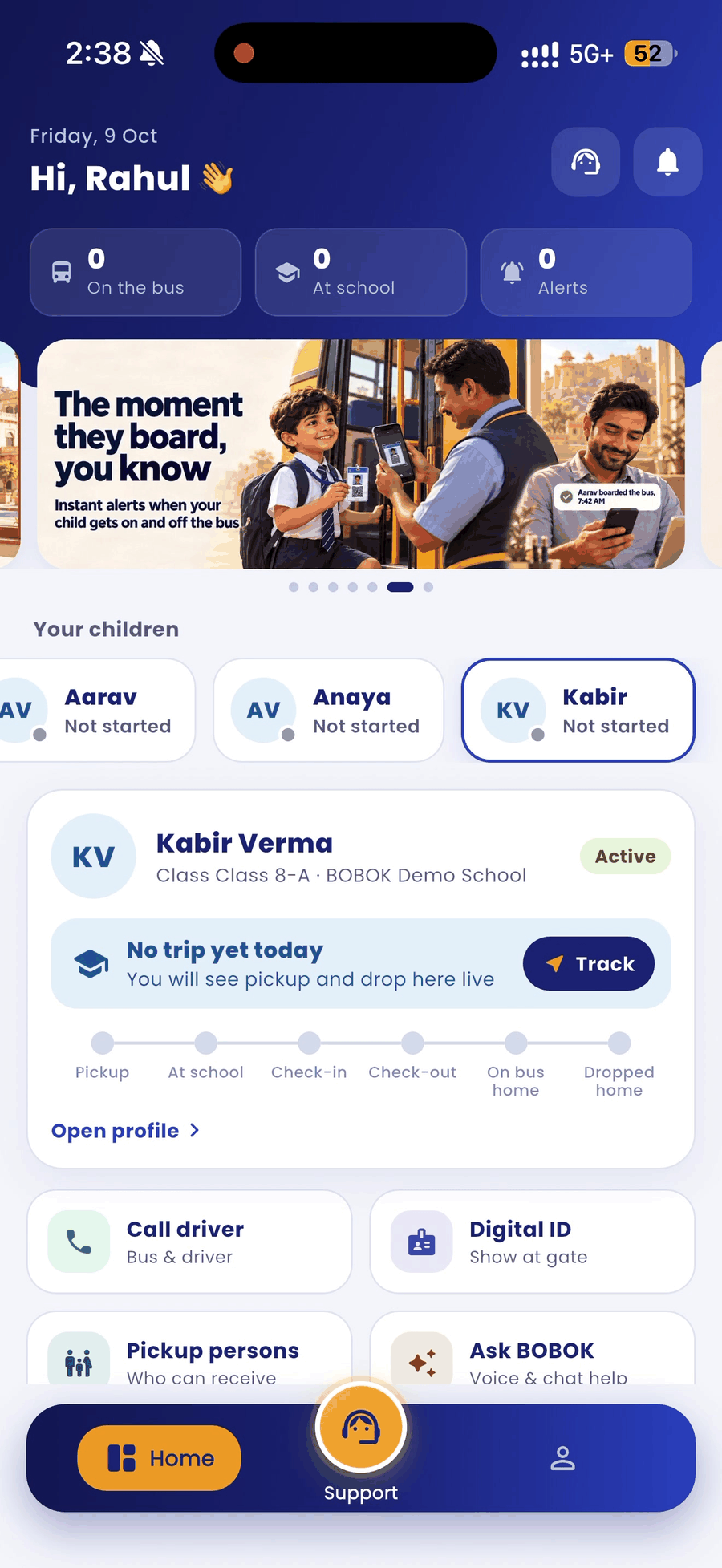
The home screen shows all your children at a glance. Each child's page has the full detail.
Home screen
- Top counters: how many of your children are on the bus or at school, and how many alerts you have.
- Your children: tap a child's name to switch between children.
- Child card: today's status and the journey line: Pickup, At school, Check-in, Check-out, On bus home, Dropped home. Tap Track to see the bus live, or Open profile for the full page.
- Shortcuts: Call driver, Digital ID and Pickup persons.
Your child's page
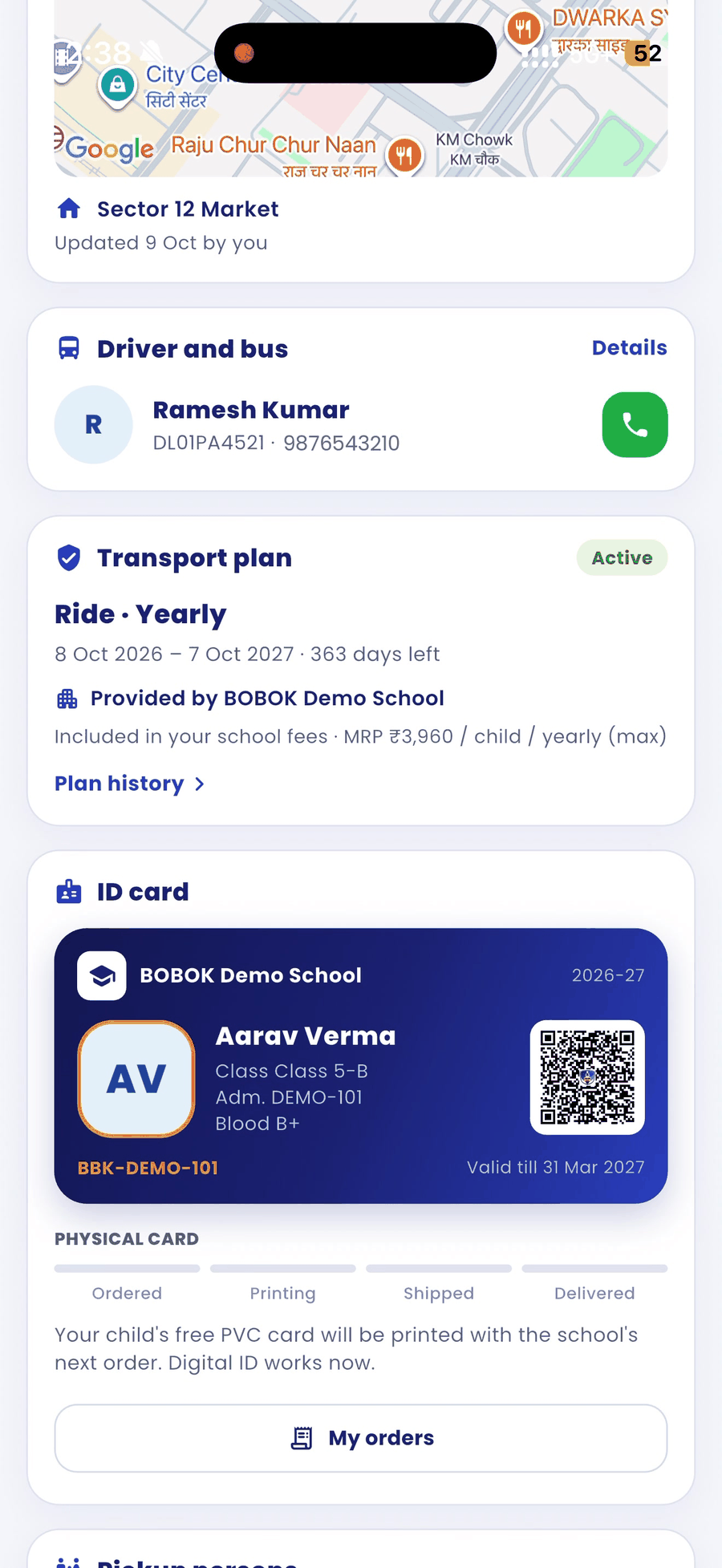
The tabs at the top are Today, Pickup point, Plan, ID card and Family.
- Today: every step of today's journey, with the time each one happened. Tap Live map to follow the bus.
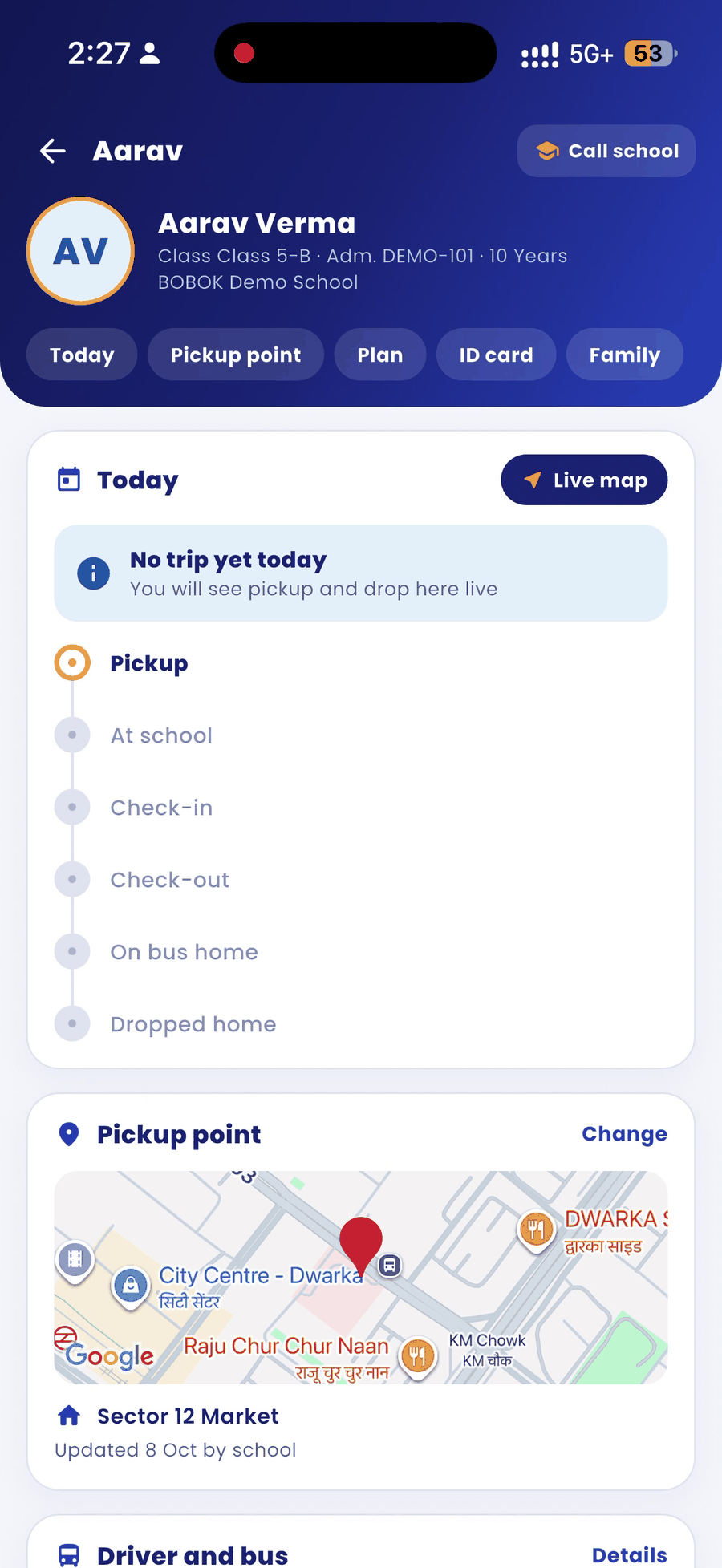
- Driver and bus: the driver's name and vehicle number, with a green button to call the driver.
- Transport plan: your plan, its dates and how many days are left. Tap Plan history to see earlier plans.
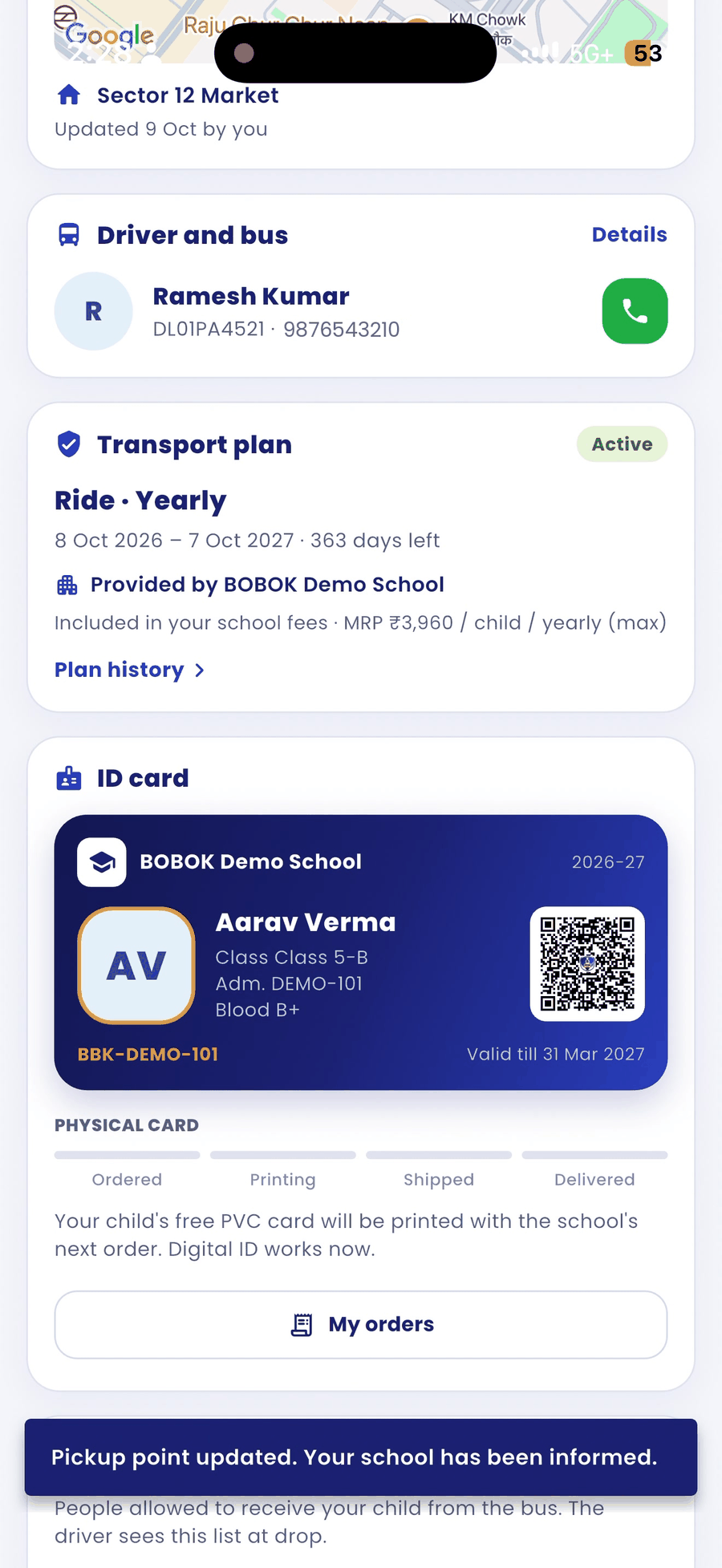
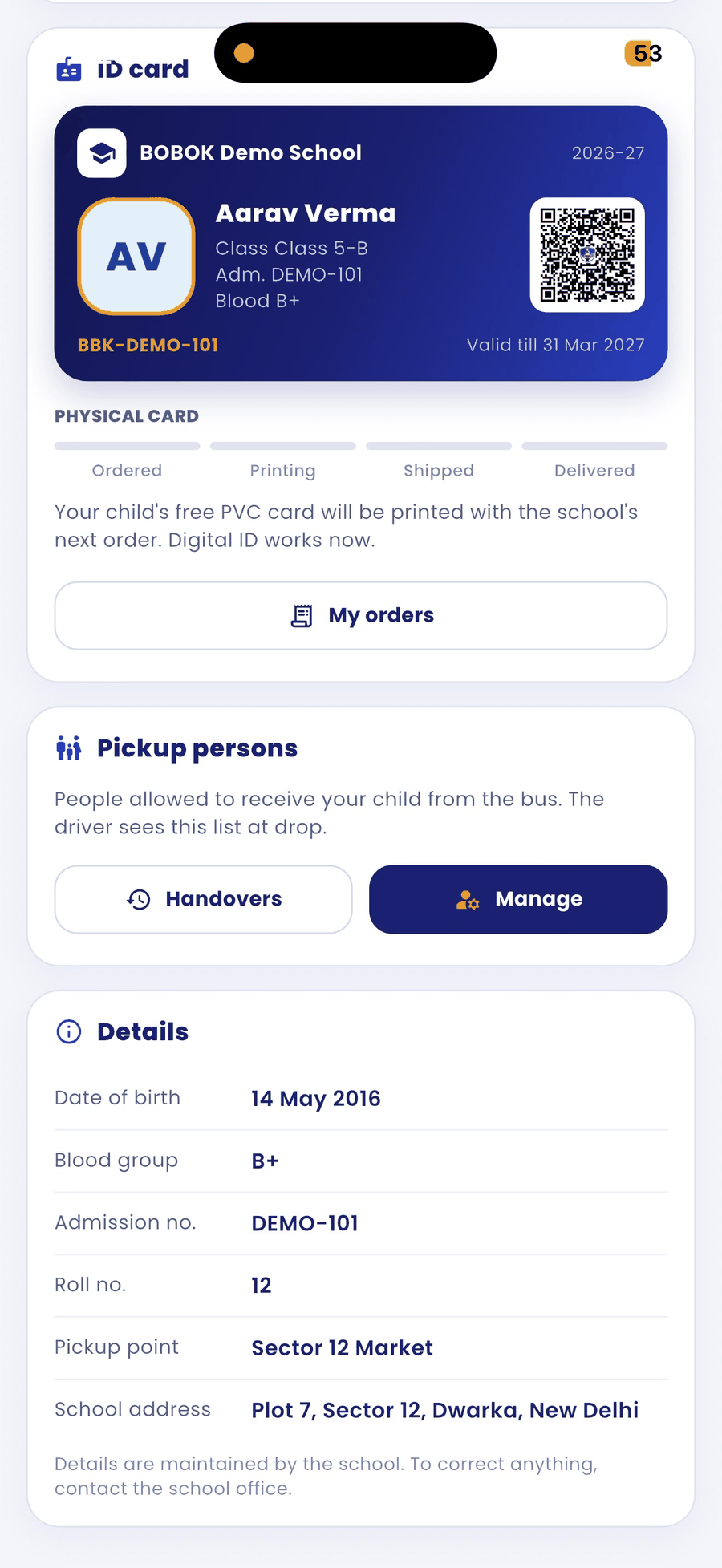
- ID card and Pickup persons: your child's digital ID and the people allowed to receive your child.
- Details: date of birth, blood group, admission number, roll number and school address.
Good to know
- Your school adds and manages your child's details, plan and bus. To correct anything, contact the school office.
- Plans are provided and billed by your school. BOBOK does not charge parents for plans.