
Parents and the school can only see the bus if the app is allowed to use your location. The app asks for everything on one screen.
Steps
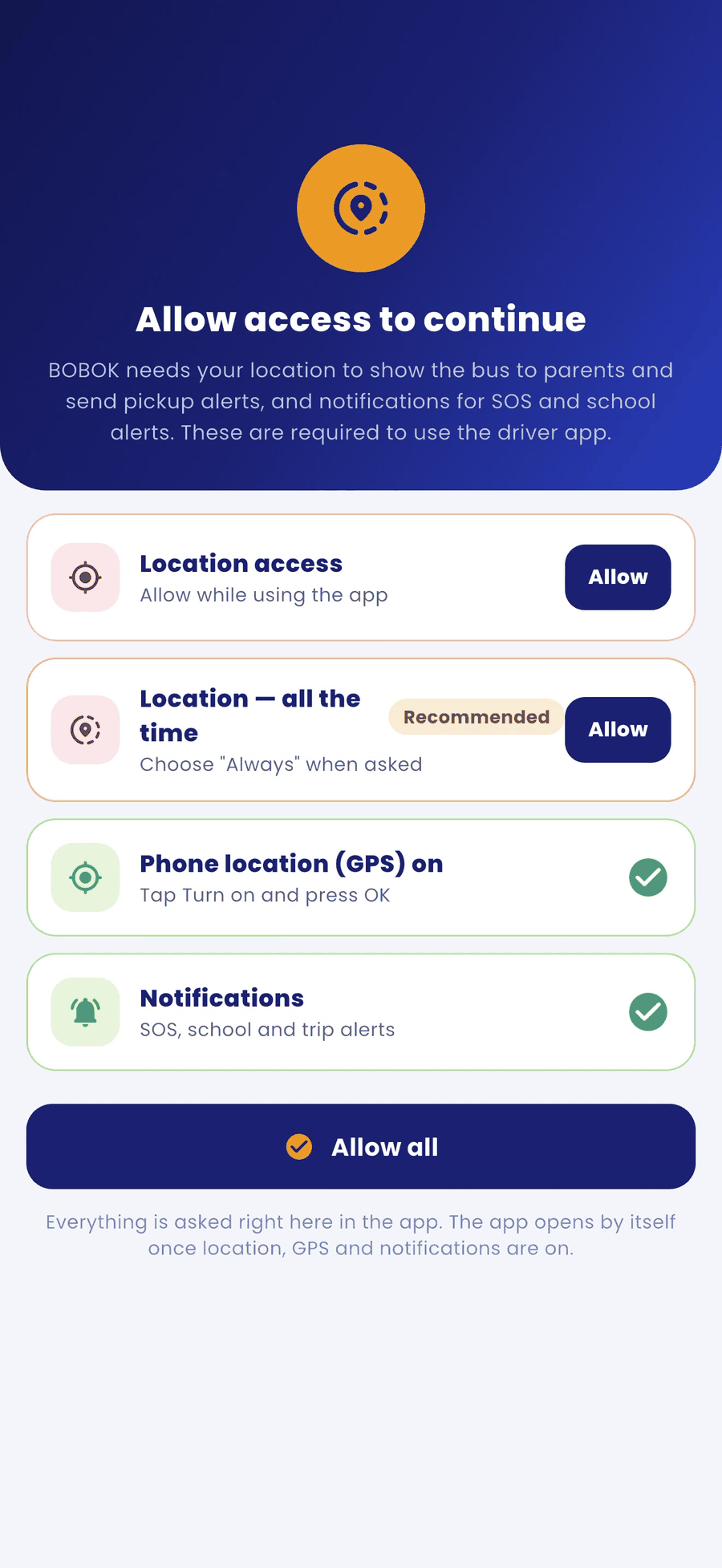
- After login, the Allow access to continue screen opens.
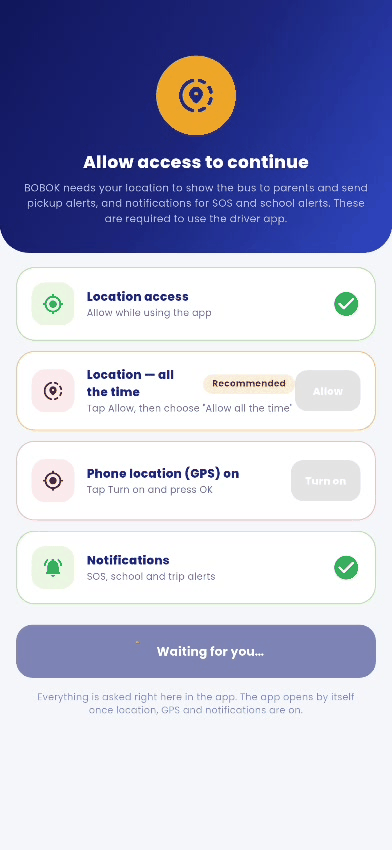
- Tap Allow next to each item: Location access, Location — all the time, Phone location (GPS) on and Notifications. You can also tap Allow all.
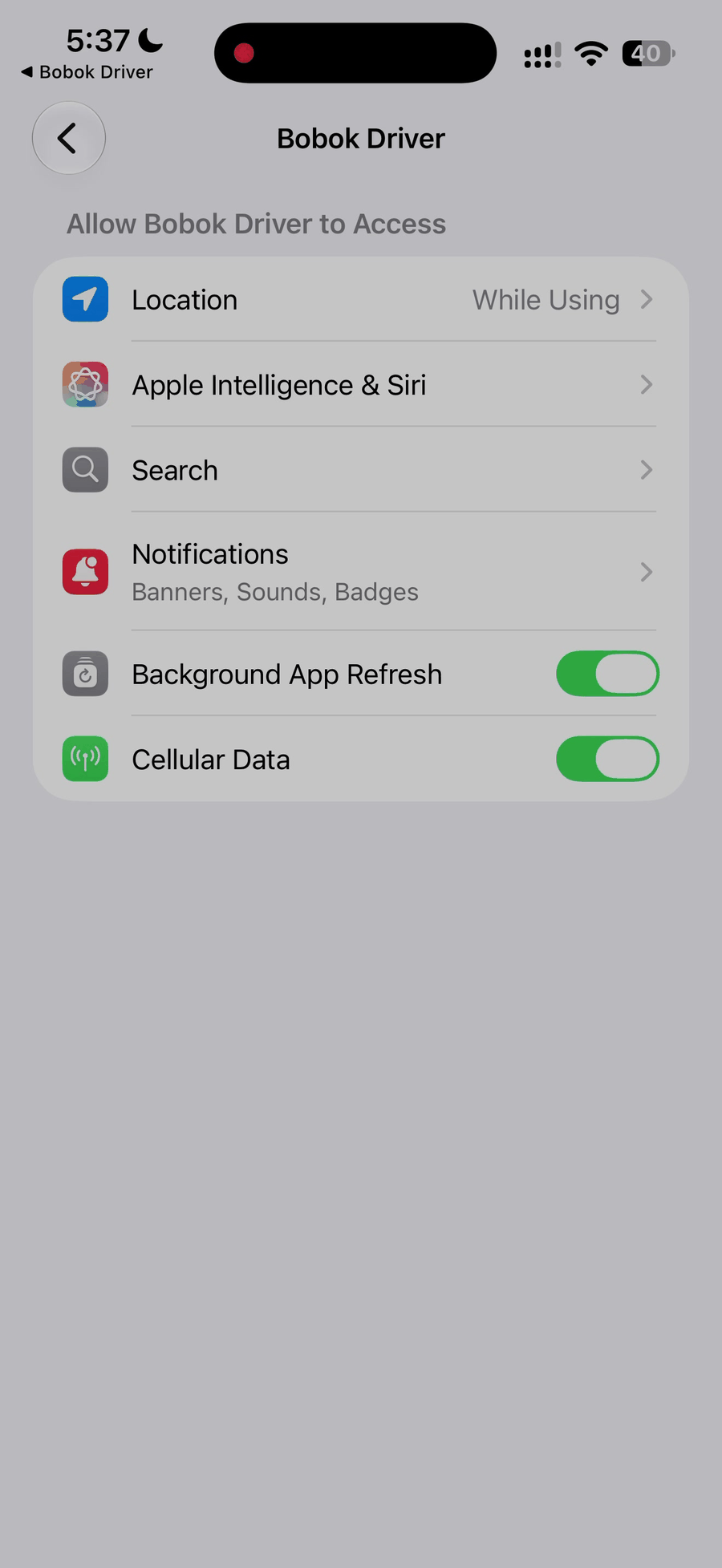
- On iPhone: when asked, open Settings → BOBOK Driver → Location and choose Always.
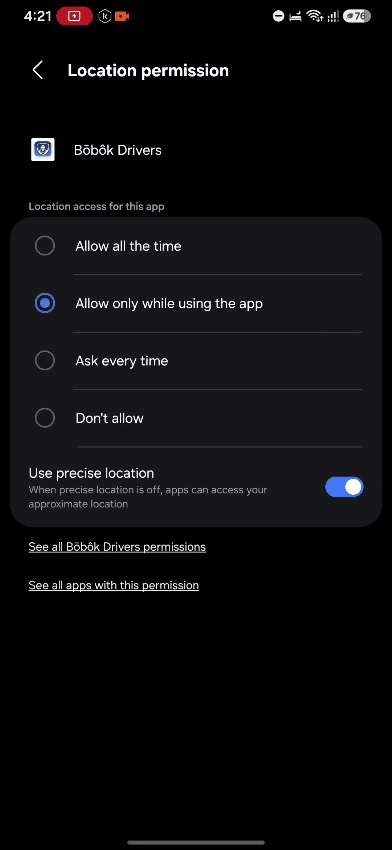
- On Android: when the location box appears, allow it, then choose Allow all the time.
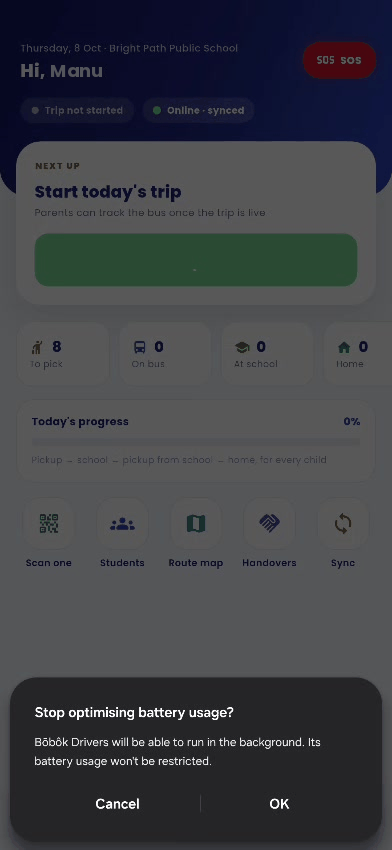
- On Android: if asked "Stop optimising battery usage?", tap OK. This keeps location working when the phone screen is off.
Good to know
- Your location is shared only between Start trip and End trip. It is not shared at other times.
- If you turn a permission off later, the app asks you to turn it on again before the next trip.