
App Lock asks for your Face ID, fingerprint or phone PIN each time you open BOBOK.
Steps
- Tap the Profile tab at the bottom right.
- Find App Lock and turn the switch on.
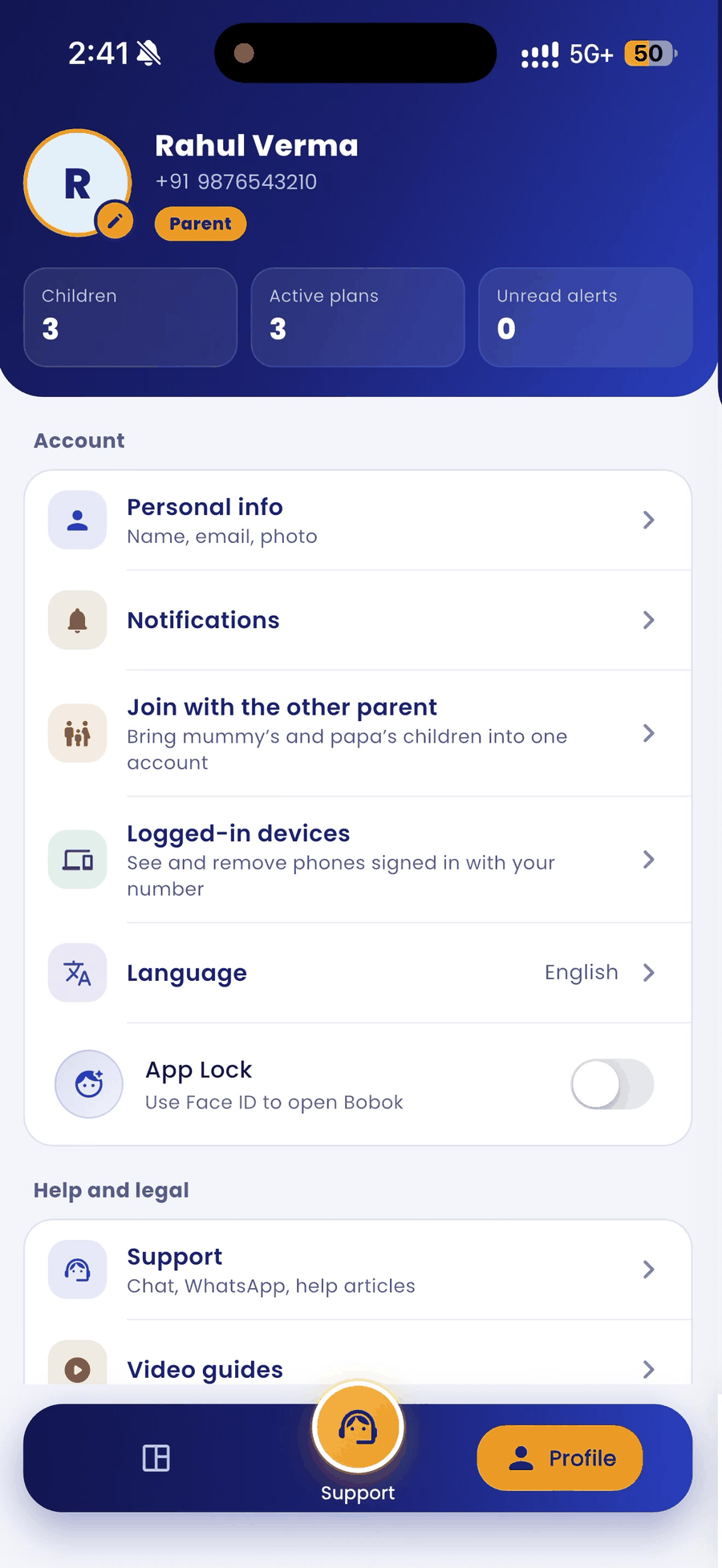
- Confirm with your Face ID, fingerprint or phone PIN. A message confirms that App Lock is on.
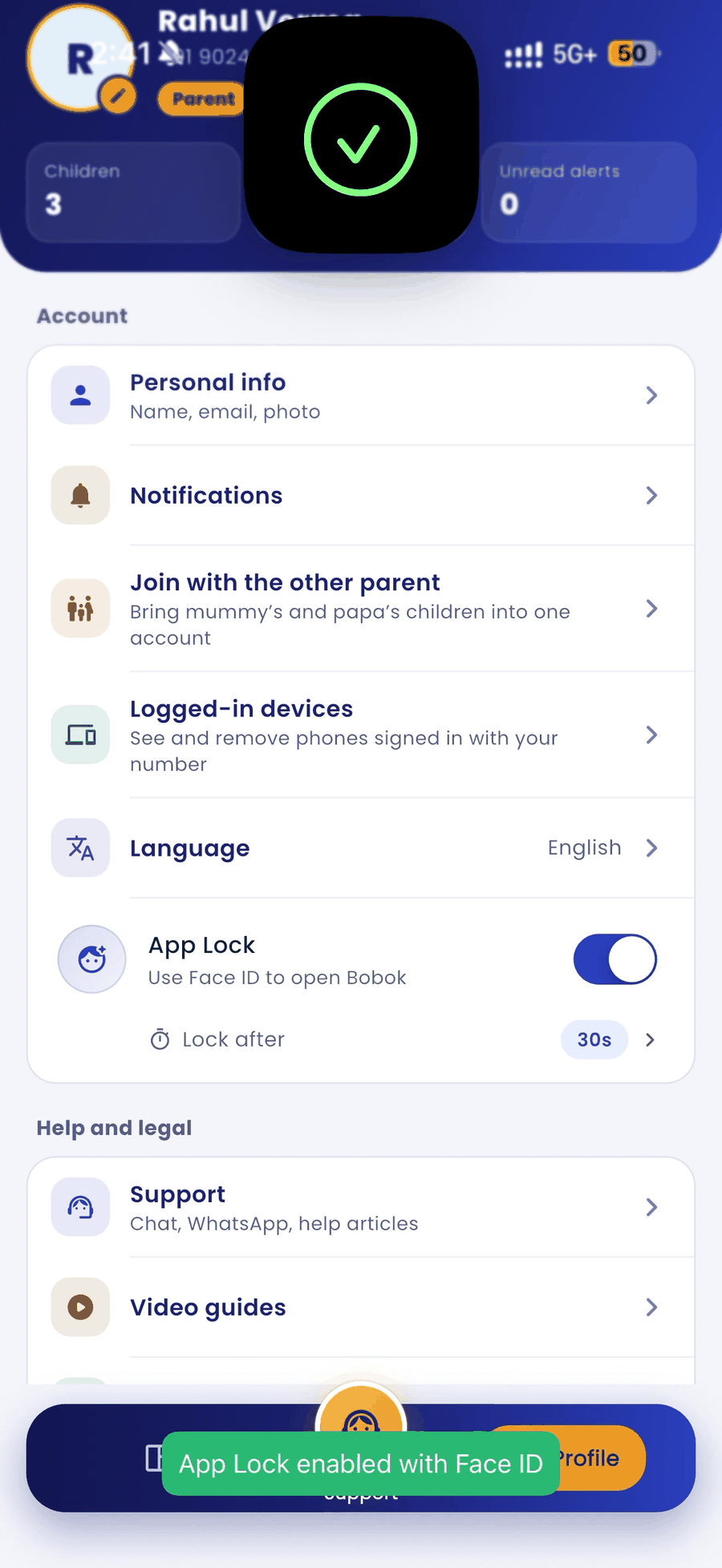
- Use Lock after to choose how soon the app locks when you leave it.
Good to know
- Your lock is stored only on your phone. BOBOK never receives your fingerprint, face data or PIN.
- To turn App Lock off, switch it off on the same screen.