
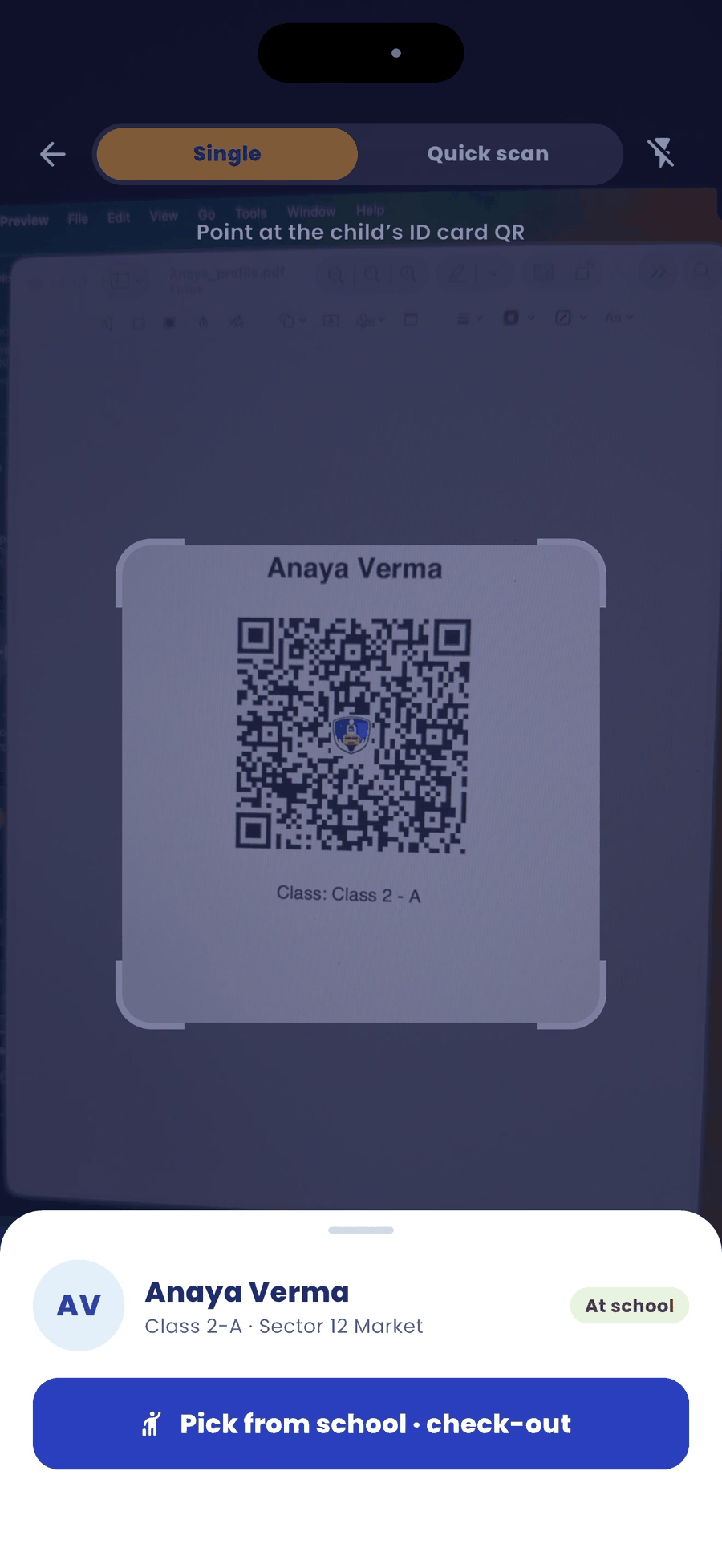
For the trip home, scan each child as they board the bus at school.
Steps
- Scan the child's ID card QR.
- Tap Pick from school · check-out.
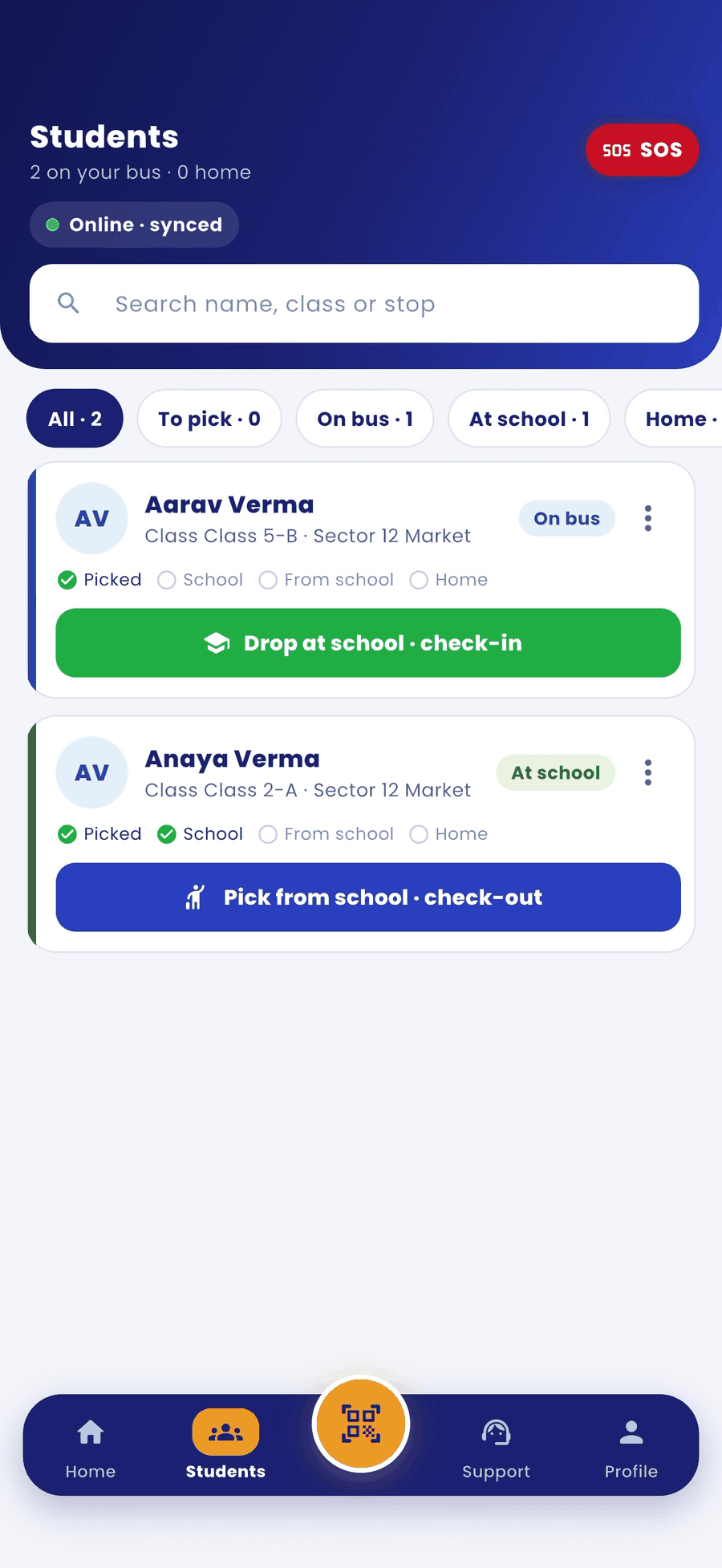
- You can also do this from Students. Each child shows the next button, for example Drop at school · check-in or Pick from school · check-out.
Good to know
- If QR gate access is on for you, your scan also marks the school check-out.
- If QR gate access is off, the school gatekeeper must check the child out first. Only then can you pick the child up from school.
- A child who came to school without the bus can still go home on the bus, once the gatekeeper has checked them in and out.