
End the trip when your work for the trip is complete.
Steps
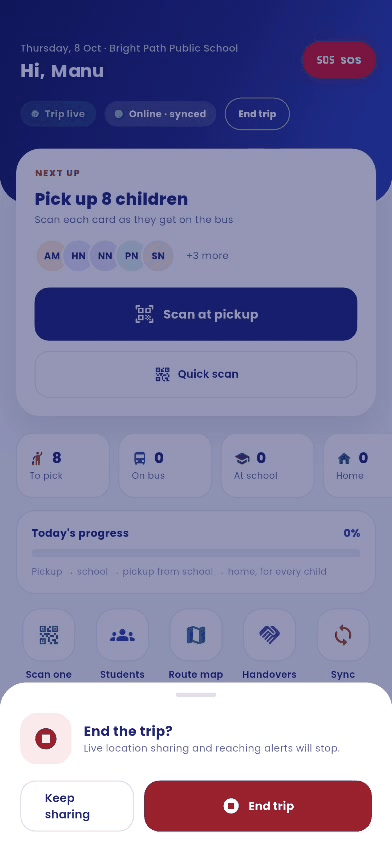
- Tap End trip at the top of the home screen.
- A sheet asks End the trip? and explains that live location sharing and reaching alerts will stop.
- Tap End trip to finish, or Keep sharing to continue.
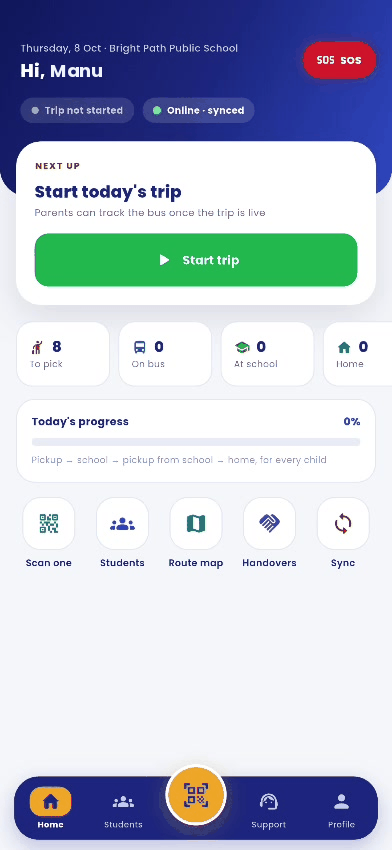
- The home screen returns to Trip not started.
Good to know
- You cannot end a trip until every child on your bus is either picked up and dropped, or marked absent.
- When all children are dropped, the app reminds you to end the trip.
- If you forget, location sharing switches off by itself one hour later.