
Every child is picked up by scanning the QR code on their ID card. The parent gets an alert as soon as you scan.
Scan at pickup
- On the home screen, the Next up card shows Pick up N children. Tap Scan at pickup.
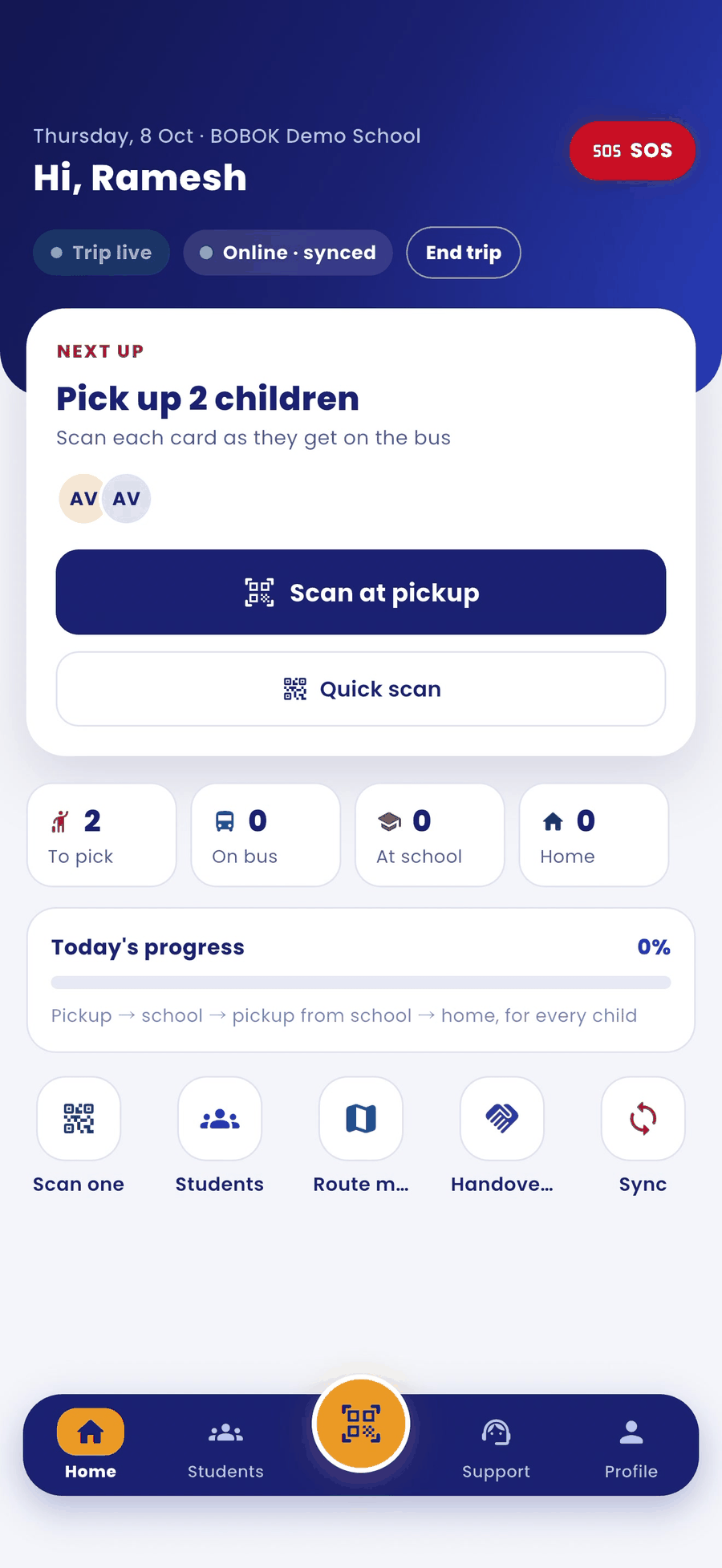
- Point the camera at the QR on the child's ID card.
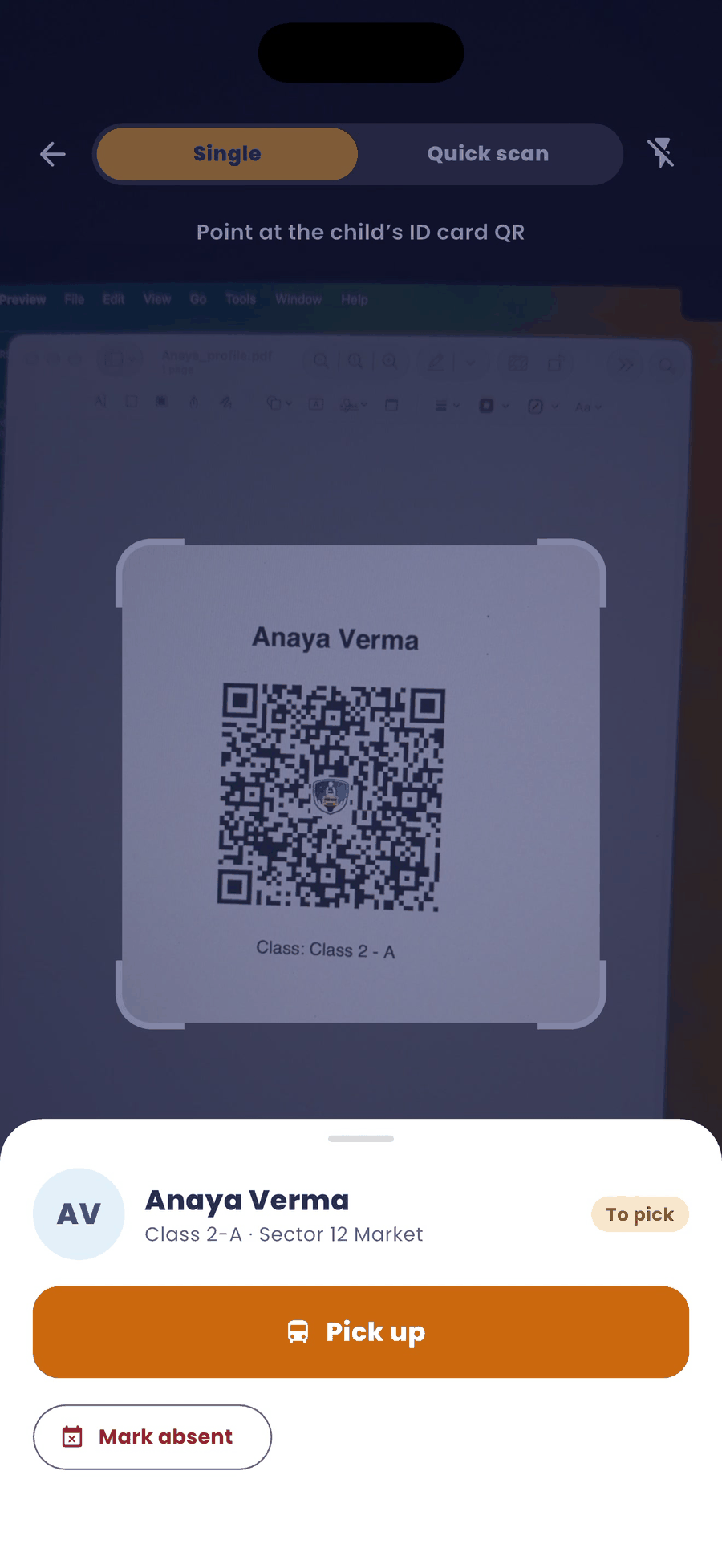
- The child's name appears at the bottom. Tap Pick up. If the child is not coming today, tap Mark absent.
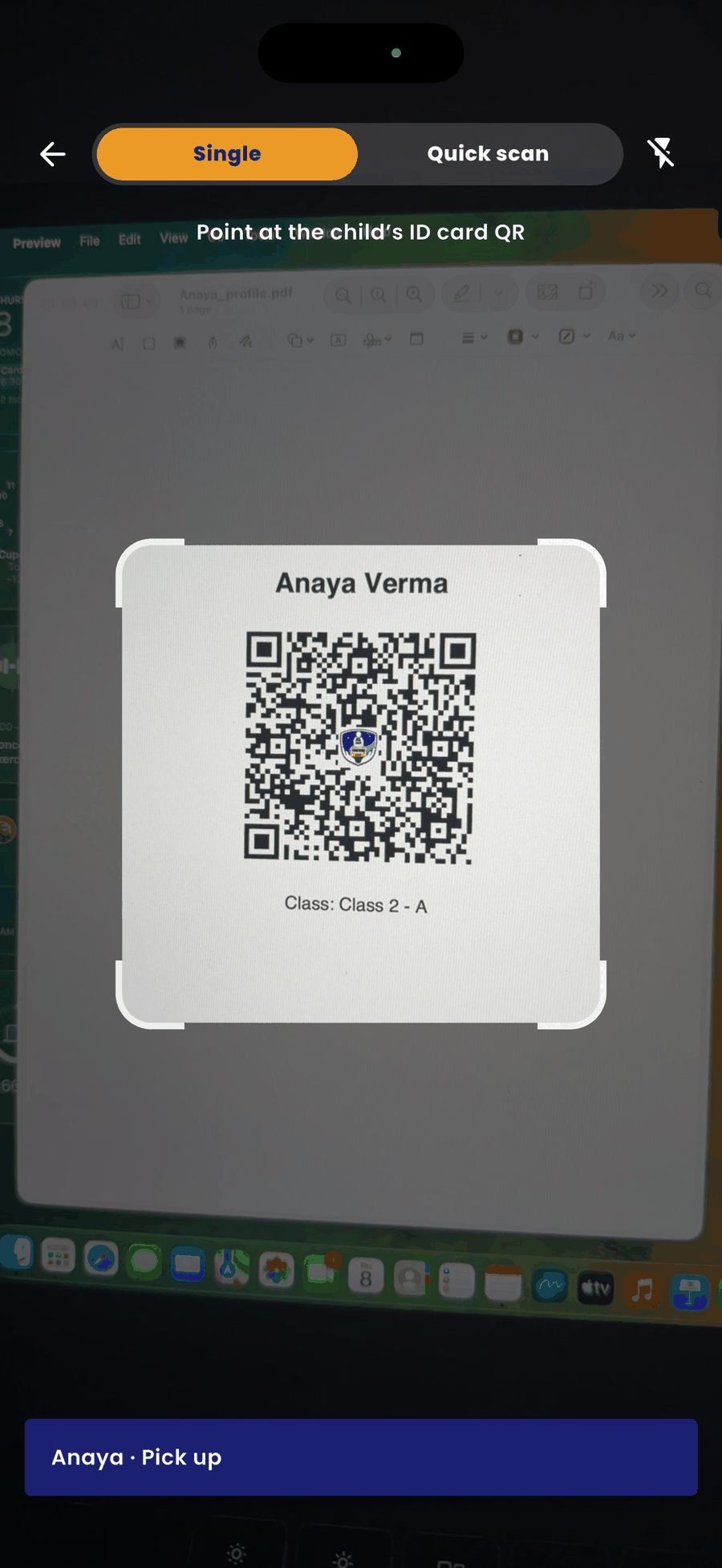
- Use Quick scan to scan several cards one after another.
If you cannot scan the card
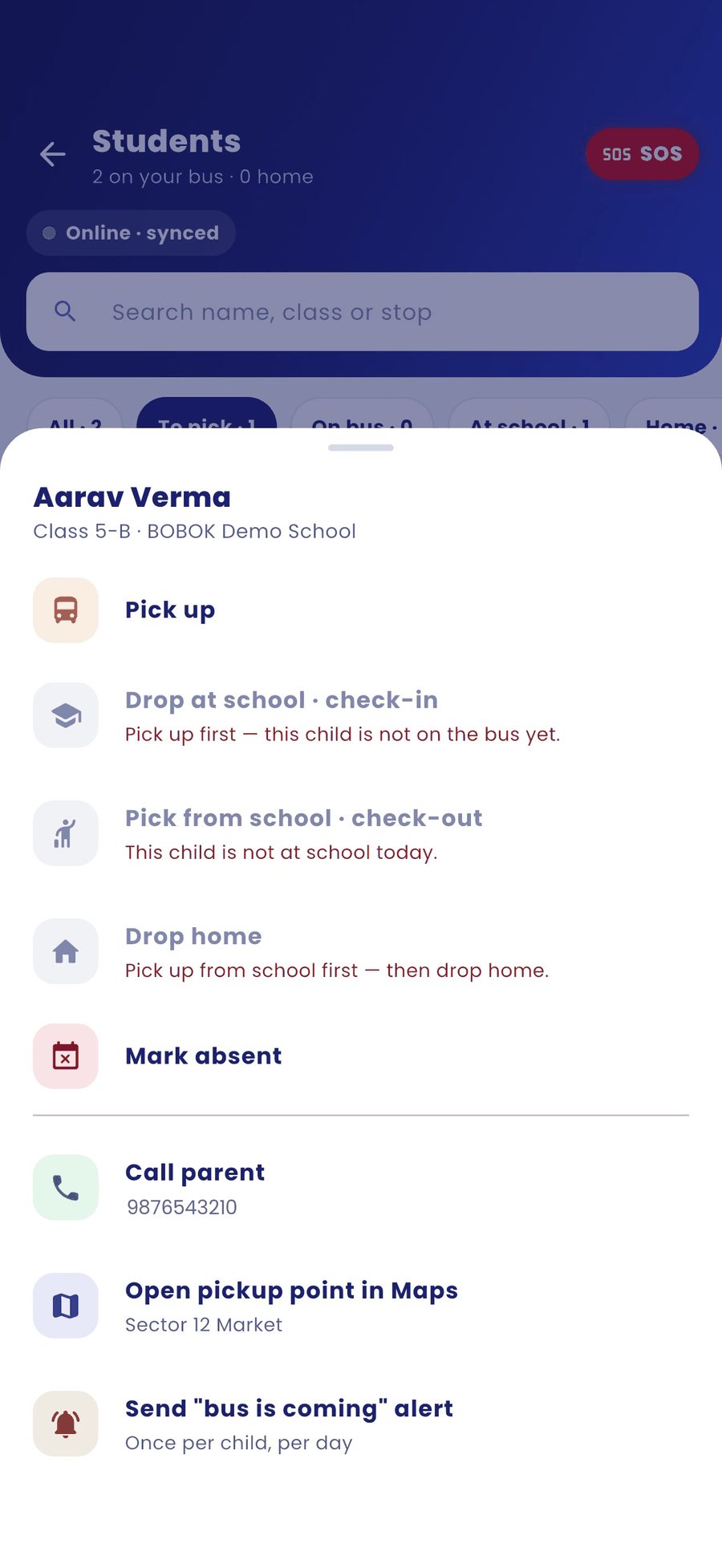
- Open Students and tap the child's name.
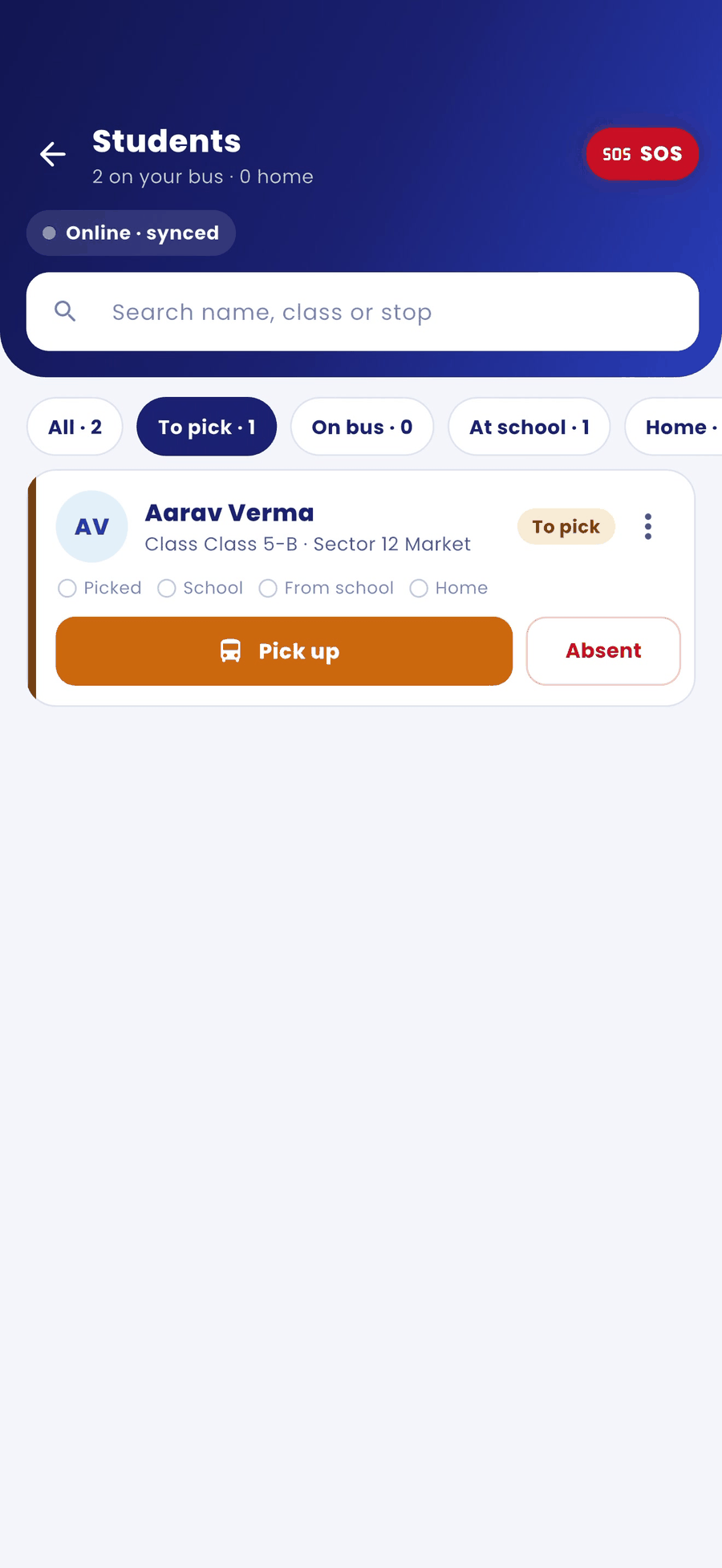
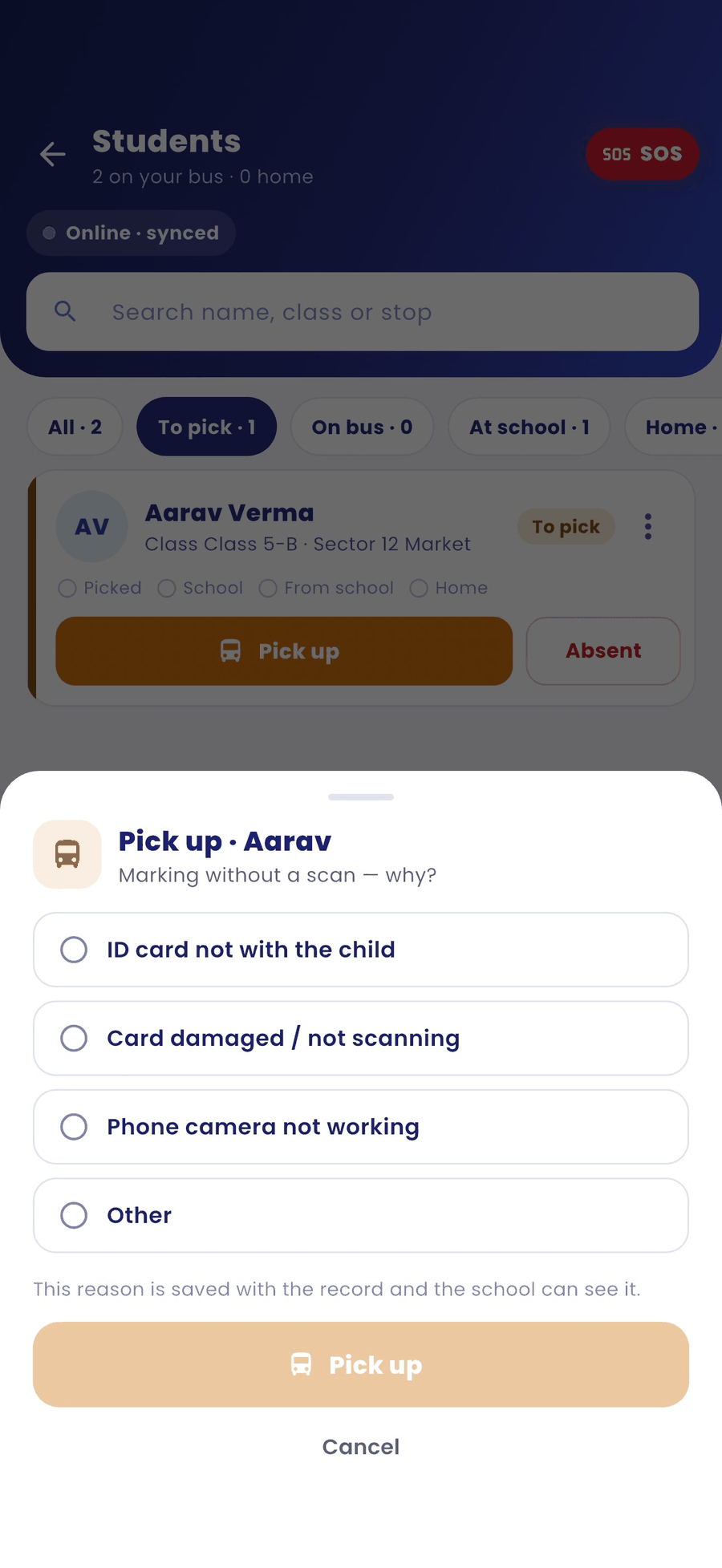
- Tap Pick up.
- Choose a reason: ID card not with the child, Card damaged / not scanning, Phone camera not working, or Other. Then tap Pick up.
Other things you can do from a child's name
- Call parent
- Open pickup point in Maps: navigate to the exact pickup pin set by the parent.
- Send "bus is coming" alert: once per child, per day.
Good to know
- The reason you choose is saved with the record, and the school can see it.